

Thursday 09:10. Your hotel email lands with a polite threat: the 28-room school-trip block releases at midnight. Your Excel rooming list still has three “TBC” names, one double-booked twin, and a deposit column that does not match the bank. The group leader swears they sent “the final list” on WhatsApp yesterday. Ops has a different file. Finance has a third.
Nothing is wrong with your flight search. Your hotel API still returns rates. The leak is group operations — allotments, names, money, and amendments living in chat threads that do not talk to suppliers or each other.
This guide is for agency owners, tour operators, DMC coordinators, and corporate/MICE desks who need group travel booking software thinking: a controlled path from block request to rooming list to deposit collection to departure. It is not a consumer packing-list article, and it is not a bake-off of niche group CRMs. If your pain is single-trip FIT quoting, start with travel quote management software. If you sell your own tours online, read manual inventory for tour operators. If post-booking vouchers and refunds are the mess, see back office software.
What group travel booking software actually covers
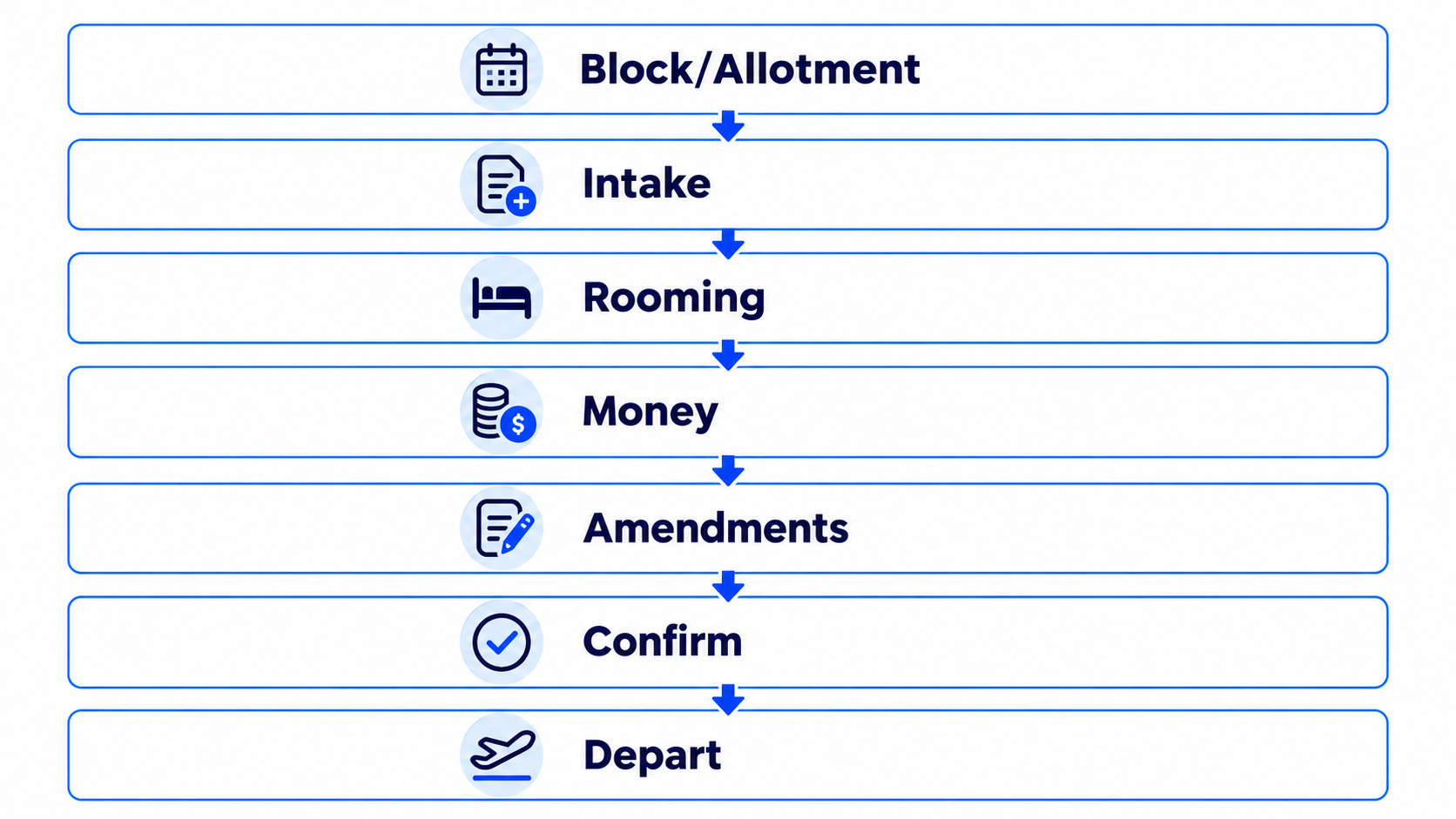
Group travel booking software is the system of record for multi-passenger departures where inventory, names, and money move on different clocks than a one-click FIT booking.
In plain language:
A group is not “28 FITs.” It is one commercial commitment — a room block, coach seat plan, or packaged departure — with cutoffs, deposits, name changes, and supplier paperwork that must stay consistent until the coach leaves.
A useful stack usually spans:
| Layer | Job |
|---|---|
| Block / allotment | Hold rooms, seats, or tour capacity against a contract and cutoff |
| Participant intake | Collect names, rooming preferences, dietary/accessibility notes, passport fields when needed |
| Rooming & manifests | One authoritative list for hotel / coach / guide — versioned |
| Money | Deposit, balance, master bill vs individual pay, refunds on dropouts |
| Amendments | Adds, cancels, room moves, date shifts — as a dated change log |
| Supplier confirmations | Written confirms that match the list you will travel on |
| Departure pack | Vouchers, invoices, emergency contacts, final counts |
What group tooling is not (by itself): GDS ticketing authority, IATA accreditation, insurance underwriting, or a finished OTA storefront. Those are adjacent. Confused buyers buy a pretty registration form and still rebuild the hotel list in Excel the night before cutoff.
Why spreadsheets and WhatsApp break for groups
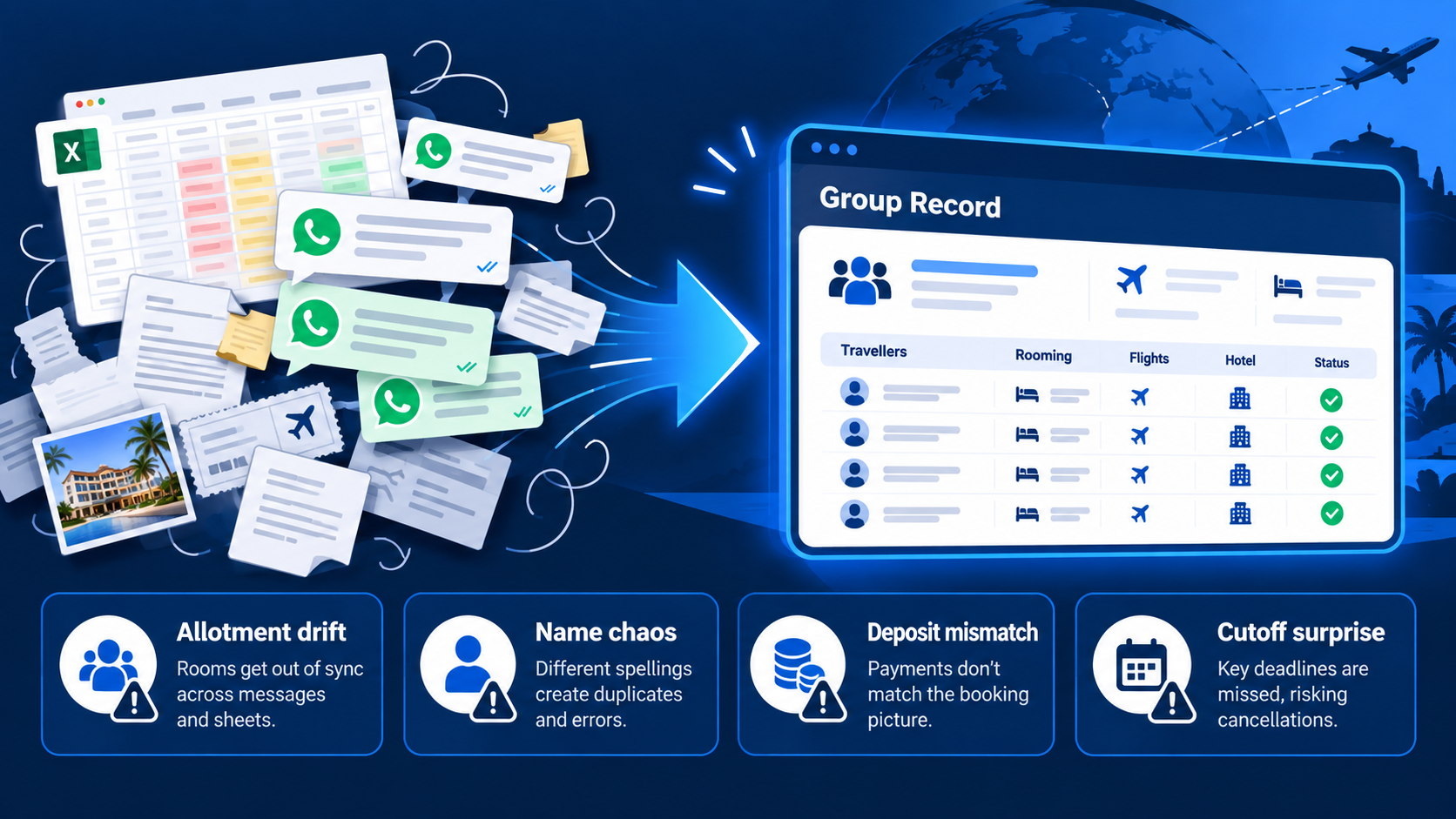
Spreadsheets work for a 6-friend ski trip. They fail when volume, suppliers, and politics collide.
Typical failure modes:
- Allotment blindness — Nobody knows how many rooms are still held vs released. The hotel’s count and yours diverge a week before cutoff (rooming list audit discipline).
- Name chaos — Partial lists arrive by channel. “Mohammed” vs passport “Muhammad” becomes a boarding problem later.
- Money drift — Deposits sit in a bank feed; the list says paid; one family paid the wrong amount; nobody has a single truth.
- Silent amendments — A twin becomes a triple in a voice note. The hotel never gets a formal delta. Check-in is where you discover it.
- Cutoff surprise — Contractual release dates are treated as soft. Unsold rooms vanish; late adds pay rack.
- Handoff loss — Sales sold the group; ops rebuilds from screenshots; finance invoices a different headcount.
Practitioner guides on hotel rooming lists are blunt: one row per room, unambiguous dates, room types that match the contract, and a formal change process after the first submission (Travelengine on rooming list management; Blocks.travel build-and-audit guide). You do not need their product to accept the operational truth: if the list is not a system of record, the hotel becomes your QA department at check-in.
The group booking lifecycle (with clear owners)

Map the work before you buy software. A practical lifecycle:
1. Qualify the group
Minimum fields before you hold inventory: dates flexibility, destination/hotel class, party size band, budget signal, decision maker, payment model (master bill vs individual), and whether names are firm or still recruiting. Unqualified “maybe 40 people to Dubai in winter” requests burn allotment goodwill and senior time.
2. Contract the block
Agree room types, rates, attrition, cutoff, deposit schedule, and cancellation terms in writing. Store the contract next to the group record — not in someone’s email. Internal deadline should sit ahead of the hotel’s cutoff so you have chase time (Blocks.travel cutoff guidance).
3. Open intake
One form or intake schema for participant data. Lock required columns before you invite names. Do not let guests invent free-text room types that do not match the contract.
4. Build and freeze the rooming list
One row per room (or clear occupancy rules). Full names as they will check in. Arrival/departure. Billing code (master vs individual). Special requests. Version v1 is the baseline; everything after is an amendment.
5. Collect money on a schedule
Deposits and balances with dates tied to supplier obligations. Chase with a ledger, not hope. Dropouts need a refund/forfeit rule that matches the contract — not a WhatsApp negotiation each time.
6. Amend with a change log
Adds, cancels, room moves: dated, attributed, confirmed with the hotel in the format they prefer (delta vs full replacement) (Travelengine amendment discipline).
7. Confirm and depart
Final list matches supplier confirms. Vouchers and invoices match headcount. Emergency contacts and dietary notes reach the people who need them — guide, hotel, coach — without sending every field to everyone.
8. Close and learn
Tag what went wrong: late names, deposit ghosts, oversell, hotel rejection, leader politics. Patterns beat anecdotes for next season’s pricing and buffer rules.
Controls that keep groups profitable (without buying theater)

1. Cutoff calendar as a hard object
Every active group needs visible internal and contractual cutoffs. Treat the hotel date as immovable even when it is “flexible.” Soft calendars create hard losses.
2. Deposit before deep customization
Custom sightseeing days and private transfers are expensive to redesign. Gate heavy FIT-style tailoring behind a non-trivial deposit or written commitment.
3. Rooming list = system of record
Ban parallel “final” files. If someone must edit offline, re-import is a controlled event with a new version number.
4. Separate indicative headcount from held inventory
Marketing can say “target 30.” Ops should only hold what the contract and deposit support. Inflated holds punish you at attrition.
5. Billing model decided early
Master bill vs individual pay changes the rooming file, the payment chase, and the hotel folio setup. Changing this after names are collected is expensive (Travelengine billing-code note).
6. Amendment SLA with the group leader
Define how late name changes are accepted, what they cost, and who can approve. Silence invites midnight panic.
7. Supplier confirmation checklist
Held ≠ confirmed. Confirm room types, rates, and counts in writing before you sell “guaranteed.”
8. Do not confuse group ops with look-to-book shopping
Firing live multi-supplier hotel searches for every tentative name burns API quota and creates stale screenshots. Qualify first; shop with intent. For API waste economics, see look-to-book ratio for travel APIs.
Data fields that prevent check-in disasters
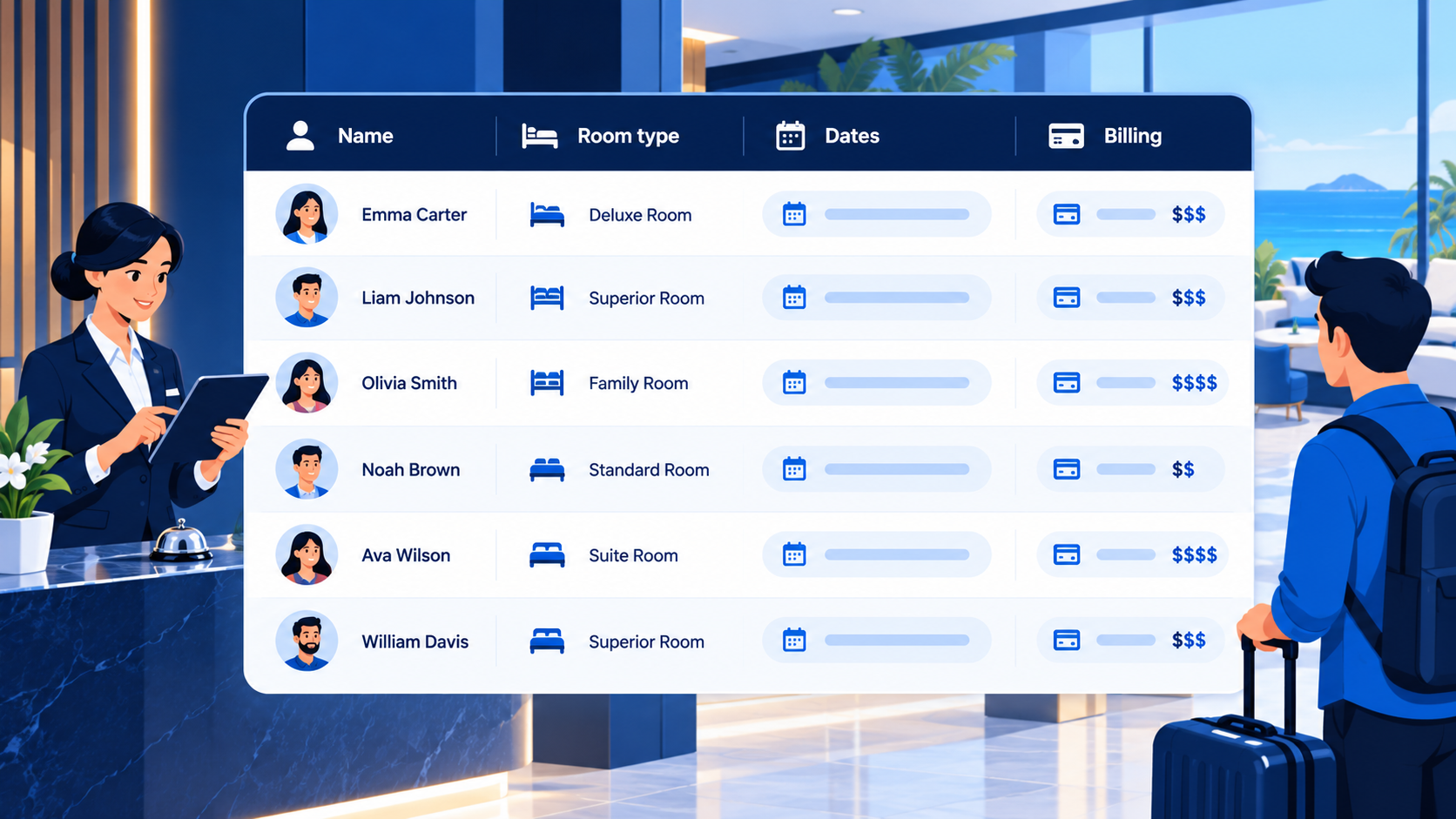
Minimum viable rooming hygiene (adapt to your contract):
| Field | Why it matters |
|---|---|
| Full legal name(s) per room | Matches ID / passport at check-in |
| Room type code = contract code | “Deluxe” in marketing ≠ “DXB” in the contract |
| Occupancy (adults/children) | Prevents silent triples |
| Arrival / departure (ISO dates) | Ambiguous formats cause night-count errors |
| Billing instructions | Master vs guest folio / incidentals |
| Special requests | Accessibility, dietary — only if the hotel can act |
| Emergency contact | Ops reality on departure day |
| Payment status (internal) | Who can still be cancelled cleanly |
Secure handling matters: guest lists are personal data. Prefer controlled links or authenticated portals over open shared sheets when you can (Travelengine on secure coordinator intake).
KPIs worth tracking for groups (not vanity dashboards)

Group desks need different numbers than OTA homepage conversion:
| KPI | What it tells you |
|---|---|
| Block utilization | Held rooms that actually travel |
| On-time rooming % | Lists submitted before internal cutoff |
| Deposit compliance | % of pax/groups current on schedule |
| Amendment rate after freeze | Process pain and leader discipline |
| Cutoff incidents | Releases, rack-rate panic adds |
| Margin after attrition | Real profit once dropouts and free rooms settle |
| Supplier dispute count | List vs confirm mismatches |
These are ops KPIs. They complement — and are distinct from — API look-to-book ratios and single-trip quote-to-book rates covered in today’s other posts.
Where PHPTRAVELS fits (honestly)
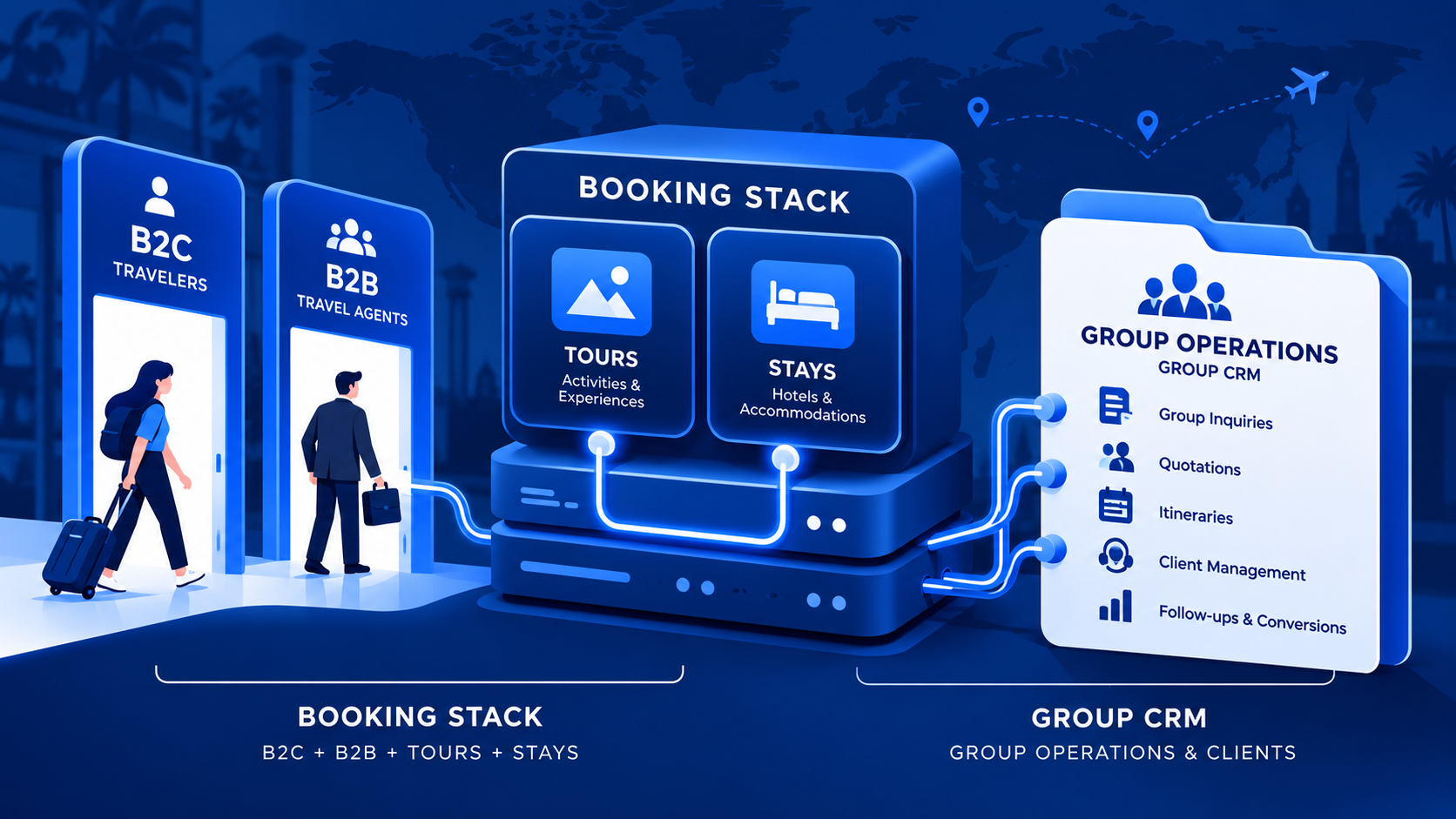
Buyers searching for group travel booking software often want two different products glued together:
- Group operations CRM — rooming portals, per-traveler installments, coach manifests, school consent packs.
- Travel booking stack — search and book flights/hotels/tours, take payment, issue vouchers, run B2B agents, load own inventory.
PHPTRAVELS is in the second category: licensed travel booking software for agencies, tour operators, OTAs, and DMCs — B2C storefront, B2B agent portal, back office, supplier API connections, and payment handling through your gateway accounts. It is not a dedicated group-tour CRM. Do not expect a native “school trip rooming portal” out of the box.
Where it does help group-heavy businesses that also need a real booking platform:
- Tours + manual inventory — Load your own departures, rates, and capacity when you are not waiting on a supplier API (manual inventory guide). Useful when the “group product” is your packaged tour sold online or to agents.
- Stays / Flights / other modules — Book hotel and air components through connected suppliers when you have contracts; live list at integrations. Software connects; it does not grant inventory.
- B2B agent portal — Sub-agents book against their rates and credit instead of voice notes (agent portal).
- Payments — Collect via supported gateways (Stripe, PayPal, Adyen, and others on the live list) plus bank transfer / pay-later / wallet patterns where configured — money goes to your accounts.
- Back office — Booking records, customers, markup rules, and operational follow-through after money moves (back office).
Honest split: keep (or buy) a specialized group-ops tool if rooming lists and per-pax deposit chasing are your primary product. Use PHPTRAVELS when you also need a branded booking engine, supplier modules, and agent distribution under one licensed stack. Many operators run group CRM + booking platform side by side — the failure mode is pretending one Excel file is both.
Evaluate with a demo of real workflows, not a feature checklist: demo. Price modules and suppliers on the live configurator: pricing. Figures change — confirm there before budgeting.
A 30-day group hygiene checklist
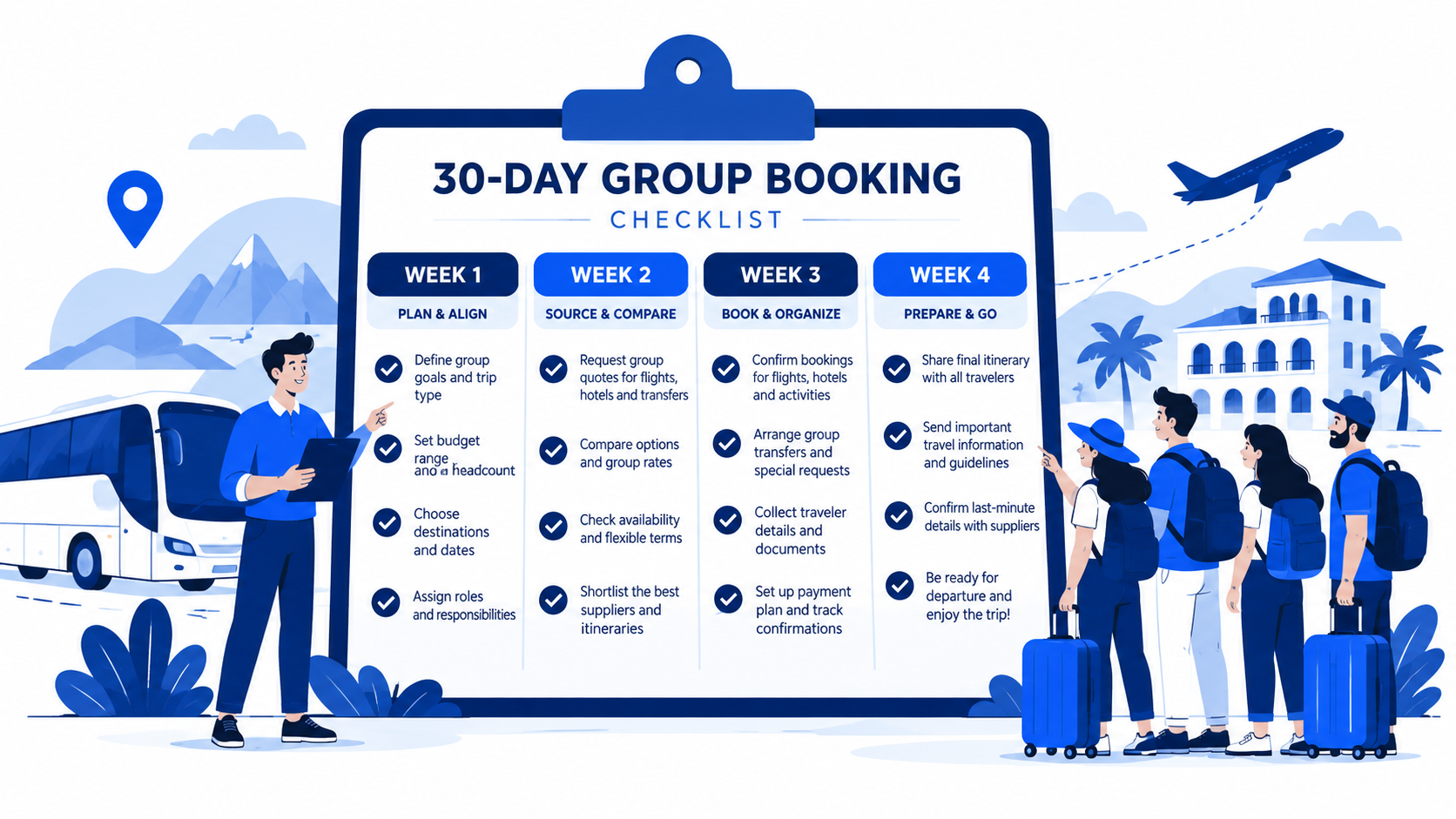
Week 1 — Truth
- Inventory every active group: contract, cutoff, held count, deposit status, owner.
- Kill duplicate “final” rooming files; pick one system of record.
- Write the amendment and refund rules on one page.
Week 2 — Intake
- Standardize the participant form to match hotel contract codes.
- Set internal cutoffs 7–14 days ahead of hotel dates where contracts allow.
- Separate master-bill groups from individual-pay groups in process.
Week 3 — Money + suppliers
- Align deposit schedule to supplier payment obligations.
- Confirm every held block in writing; log confirms next to the group record.
- Stop shopping live APIs for unqualified headcount fantasies.
Week 4 — Stack decision
- Decide what stays in group CRM vs what must live in the booking engine.
- If you need online selling, agent distribution, or supplier modules, shortlist a booking platform honestly (PHPTRAVELS or otherwise).
- Pilot one departure end-to-end with versioned lists and a clean change log.
FAQ
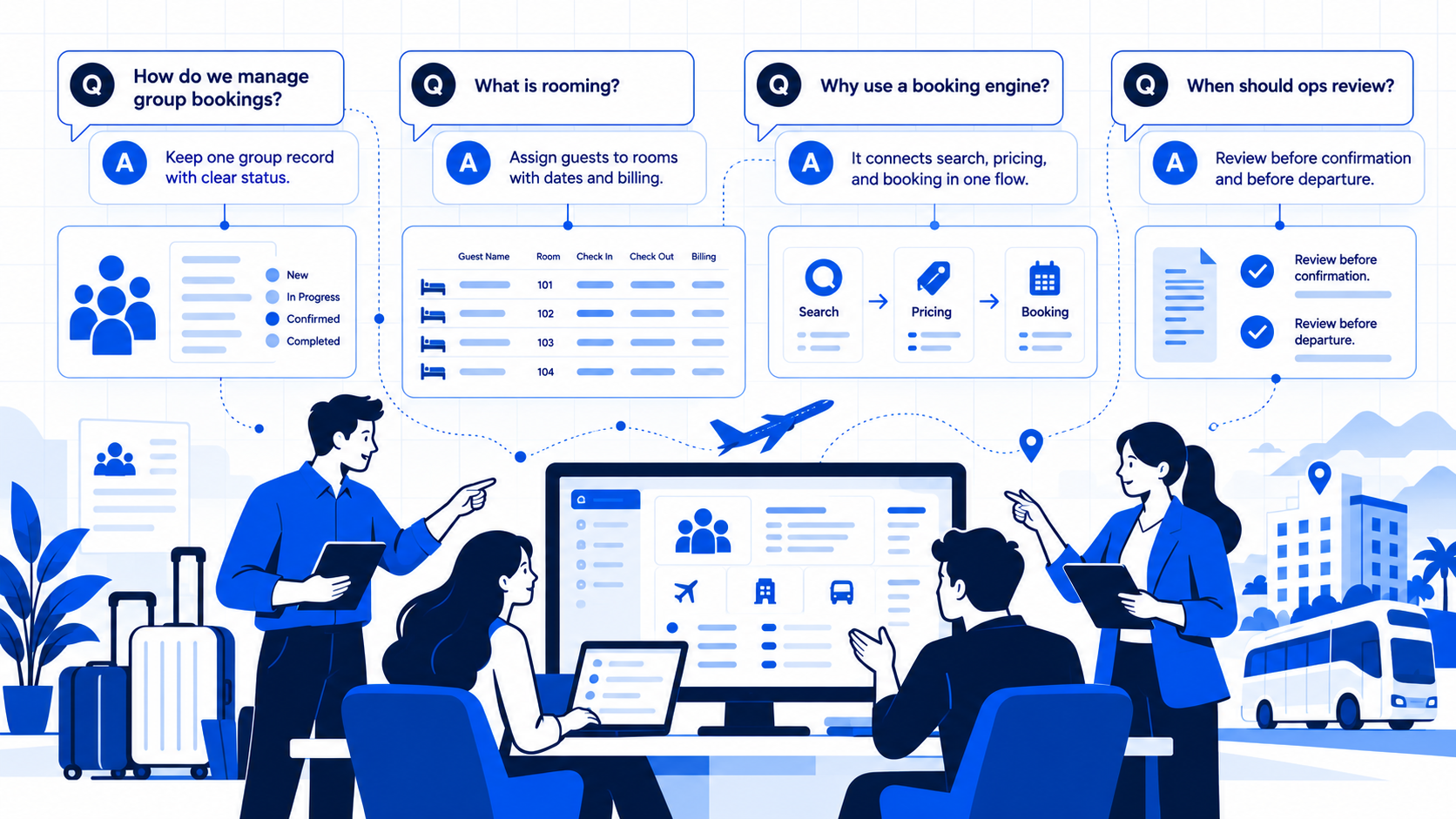
Is group travel booking software the same as a booking engine?
No. A booking engine sells and confirms travel services. Group software (or group process) manages allotments, names, deposits, and amendments across many passengers. Mature agencies often need both.
Do we need a dedicated rooming-list product?
If you run frequent hotel blocks with heavy name churn, yes — or a disciplined process that behaves like one. Occasional small groups can survive on a strict spreadsheet if versioning and cutoffs are real.
Can PHPTRAVELS manage school-trip consent forms and coach manifests?
No — that is not a claimed product capability. PHPTRAVELS focuses on booking engines, portals, suppliers, payments, and back office. Use specialized tools (or careful ops process) for those group-specific artifacts.
How do groups relate to dynamic packaging?
Packaging builds a flight+hotel (plus extras) offer (dynamic packaging). Groups add allotment politics, rooming, and multi-payer money on top. Do not treat them as the same project.
What about B2B sub-agents selling seats on our departure?
That is a distribution problem. A B2B agent portal helps agents book and self-serve against rules; you still need clear allotment and name rules so two agents do not sell the same bed.
Next step. If your “group system” is three Excels and a hotel cutoff tonight, fix the process first: one list, one money ledger, one change log. If you also need a branded platform to sell tours and accommodation, connect suppliers, and let agents book without WhatsApp — see a working PHPTRAVELS stack at https://phptravels.com/demo and configure scope at https://phptravels.com/pricing.