Are you affected? What to do?
- Affected: any server running a PHP version older than 8.2.35, 8.3.36, 8.4.27 or 8.5.12. All current PHPTRAVELS v10 installations run PHP 8.2.35 or newer, so they are protected.
- Real fix: a patched PHP version on your server, with PHP workers restarted. Your hosting provider can do this for you.
- Extra protection: install the PHPTRAVELS v10 security update from Admin > Updates. It adds a version warning and hardening (automatic on Apache mod_php and LiteSpeed; PHP-FPM sites need a host-side change).
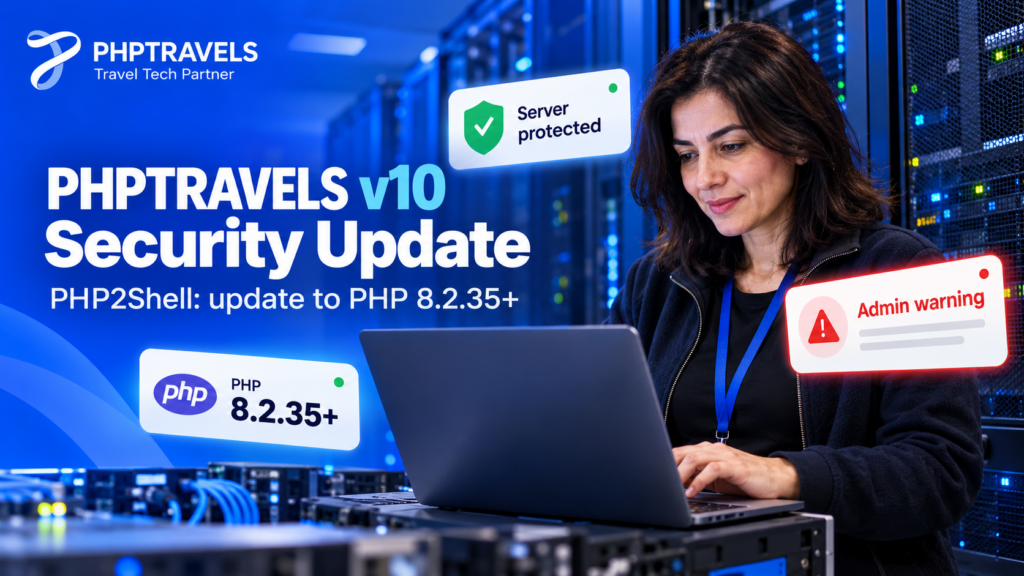
On 21 October 2026 the PHP project released fixes for two critical vulnerabilities in PHP itself, nicknamed PHP2Shell. Today we are releasing the PHPTRAVELS v10 security update, which helps travel agencies and OTAs confirm their server is safe and adds an extra layer of hardening.
The short version: if your PHPTRAVELS v10 website runs on PHP 8.2.35 or newer, you are protected. The update makes that easy to check from your admin panel and switches off the PHP features these attacks use on Apache mod_php and LiteSpeed servers.
This advisory explains the issue in plain English first. Developers and hosting admins will find the precise details in the technical sections below.
What is PHP2Shell (CVE-2026-109618, CVE-2026-109619)?
PHP2Shell is the nickname for two PHP security flaws, CVE-2026-109618 and CVE-2026-109619. Both are rated critical, with a CVSS v4.0 score of 9.2. They can let an attacker who is not logged in run code on a web server by sending crafted HTTP requests. Attack activity was reported around the time of disclosure.
The important point for site owners is where the flaw lives. It is inside PHP, the language your server uses to run the website, not inside PHPTRAVELS v10 or any other application. That means no application can fully fix it in its own code. The real fix is a patched PHP version on the server.
Technical details for developers
- CVE-2026-109618: an out-of-memory failure can leave internal request data only partly initialised, and PHP’s request cleanup then treats that invalid data as valid. It can be reached before any application code runs.
- CVE-2026-109619: stale state reused across requests on the same PHP worker. The known paths are session upload progress and, on PHP 8.5, fatal error backtraces.
- Fixed releases: PHP 8.2.35, 8.3.36, 8.4.27 and 8.5.12. PHP 8.1 and older receive no official fix from the PHP project.
For full details, read the official PHP security advisory, the Tenable PHP2Shell FAQ and the Datadog Security Labs analysis.
Is my PHPTRAVELS v10 website affected?
PHPTRAVELS v10 runs on PHP 8.2. Your status depends only on the exact PHP version your server uses.
| PHP branch | Fixed version | Status |
|---|---|---|
| 8.2 (used by PHPTRAVELS v10) | 8.2.35 | Protected on 8.2.35 or newer |
| 8.3 | 8.3.36 | Protected on 8.3.36 or newer |
| 8.4 | 8.4.27 | Protected on 8.4.27 or newer |
| 8.5 | 8.5.12 | Protected on 8.5.12 or newer |
| 8.1 and older | No official fix | At risk: move to a supported version |
All current PHPTRAVELS v10 installations run PHP 8.2.35 or newer, so they are protected. If you have moved your site to a different server or changed hosting settings, check the version yourself using the steps below.
How to check the PHP version of your PHPTRAVELS v10 server
You can check in a few minutes:
- Hosting panel: in cPanel, open MultiPHP Manager (or the PHP selector in other panels) and look at the version assigned to your domain.
- phpinfo: your developer can create a temporary phpinfo page, read the version at the top, then delete the page straight away.
- After the update: the PHPTRAVELS v10 admin panel shows a red warning if your PHP version is older than the fixed release.
Two things often confuse people:
- The PHP version your website uses can differ from the command-line PHP. Running
php -vover SSH does not always show what the web server uses. Trust the hosting panel or phpinfo. - Some Linux vendors patch PHP without changing the version number. If your host says the fix is backported, ask them to confirm in writing that both CVEs are covered.
How to update PHP safely for PHPTRAVELS v10
If your server runs an older version, follow these steps:
- Ask your host for PHP 8.2.35 or newer. You can use this message: “Please update PHP for my domain to 8.2.35 or newer to fix CVE-2026-109618 and CVE-2026-109619, and restart PHP.”
- Restart PHP. PHP-FPM workers or the web server must restart so the patched version actually runs.
- Check the site. Open your homepage, run a test search, and sign in to the admin panel to confirm everything loads.
If your host only offers PHP 8.1 or older, plan a move to a supported version or a different host. Sansec’s PHP2Shell research and Help Net Security’s report cover the wider impact for PHP websites.
What the PHPTRAVELS v10 security update adds
The PHPTRAVELS v10 security update, released on 23 October 2026, does three things:
- Admin warning. A red banner appears on every admin page while your server’s PHP is older than the fixed version. It shows the version you are running and the exact version to ask your hosting provider for. It disappears automatically once PHP is updated, and you can close it until your next sign-in.
- Automatic hardening. The update switches off the two PHP features the attacks use: session upload progress and, on PHP 8.5, fatal error backtraces. PHPTRAVELS v10 uses neither. On Apache mod_php and LiteSpeed the update applies this through
.htaccess. On PHP-FPM, the PHP advisory says.user.iniandini_set()should not be relied on for this, so PHP-FPM site owners must ask their host to disable session upload progress (and fatal error backtraces on PHP 8.5) inphp.inior the FPM pool configuration. - Nothing else changes. Bookings, payments, suppliers and the rest of your site work exactly as before.
This hardening is an extra layer, not a replacement for patched PHP. A secure travel website still needs an up-to-date PHP version on the server.
How to install the update
- Sign in to your PHPTRAVELS v10 admin panel.
- Go to Admin > Updates and click Install update.
- When it finishes, open your homepage and the admin panel to confirm both load normally.
You can find more guidance in the PHPTRAVELS documentation.
FAQ
Do I need to change any code?
No. The real fix is a patched PHP version on your server. On Apache mod_php and LiteSpeed the update applies its hardening automatically. On PHP-FPM, ask your host to make the hardening change in php.ini or the FPM pool configuration.
Will the update affect my bookings?
No. Bookings, payments, suppliers and the rest of your site work as before.
What if my host uses PHP 8.1?
PHP 8.1 and older get no official fix from the PHP project. Ask your host to move your site to PHP 8.2.35 or newer, or move to a host that offers it.
Does the PHPTRAVELS v10 update fix PHP2Shell?
No application can fully fix a flaw inside PHP. The update adds a warning and, on Apache mod_php and LiteSpeed, switches off the features the attacks use. Updating PHP on the server is the real fix.
Is my site safe if it runs PHP 8.2.35?
Yes. PHP 8.2.35 contains the fixes for both vulnerabilities. All current PHPTRAVELS v10 installations run PHP 8.2.35 or newer.
Why does the red banner still show after my host updated PHP?
PHP may not have restarted yet. Ask your host to restart PHP, then reload the admin page.
Install the PHPTRAVELS v10 security update today
PHP2Shell is serious, but the fix is clear: run PHP 8.2.35 or newer and restart PHP. Customers on a current PHPTRAVELS v10 installation are already protected. Install the PHPTRAVELS v10 security update from Admin > Updates to get the version warning and the extra hardening.
Need help checking your server or installing the update? Contact PHPTRAVELS support and our team will help.