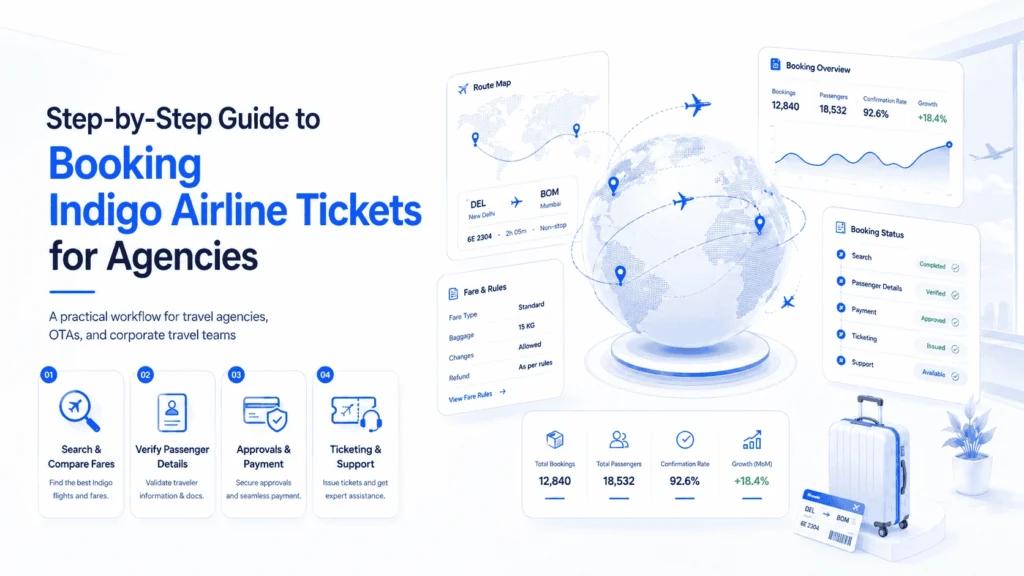
For travel agencies, OTAs, corporate travel teams, tour operators, hotels, and DMCs, booking Indigo airline tickets is not only about selecting a flight and making payment. The real challenge is managing the full booking workflow without errors, delays, refund disputes, or support confusion.
Many agencies lose time because passenger details are entered manually, fare rules are not checked properly, baggage information is missed, or payment approval is not recorded before ticket issuance. These small mistakes can create bigger operational problems later, especially when a customer asks for a date change, cancellation, refund, flight status update, or booking confirmation.
A clear Indigo airline booking process helps your team handle searches, fares, passenger data, approvals, payments, ticketing, and post-booking service in a more controlled way. This guide explains the practical steps agencies should follow when booking Indigo airline tickets for clients.
Quick Summary
- Search Indigo flights using route, date, passenger type, and flexibility.
- Compare fares based on total cost, not only the lowest price.
- Check baggage, change, refund, and cancellation rules before issuing.
- Collect accurate passenger names, documents, contact details, and preferences.
- Get payment approval before final ticketing.
- Store booking confirmation, PNR, invoice, and fare rules in one place.
- Use a structured workflow to reduce manual errors and support tickets.
- Connect the process with a booking engine or travel platform when handling volume.
Why Agencies Need a Clear Indigo Booking Workflow
Indigo flight booking looks simple from the customer side, but agency operations are more complex. A travel business may need to manage multiple customers, corporate approvals, group bookings, changing fares, route options, payment records, invoices, and refund requests.
Without a structured process, agents may depend on scattered notes, WhatsApp messages, spreadsheets, or manual follow-ups. This creates risk when the customer later asks:
- Has my Indigo ticket been confirmed?
- Can I change the travel date?
- What is my baggage allowance?
- Can I cancel and get a refund?
- Where can I check my flight status?
- Why is the fare different now?
A proper Indigo airline booking process protects both the agency and the traveler. It gives your team a repeatable system for handling ticket booking from search to post-booking support.
Step 1: Capture the Client Travel Requirement
Before searching for flights, collect the full travel requirement. This prevents unnecessary rework and helps the agent search with the right filters.
Important details include:
- Departure city and arrival city
- One-way, round-trip, or multi-city travel
- Travel date and flexible date range
- Number of passengers
- Adult, child, or infant passenger type
- Domestic or international travel
- Preferred flight time
- Baggage needs
- Seat preference
- Budget range
- Refund or change flexibility
- Corporate approval requirement
For corporate clients, also confirm whether the booking must follow company travel policy. Some companies prefer lowest fare, while others allow flexible fare types for business-critical trips.
Step 2: Search Indigo Flights and Availability
After collecting the requirement, the agent should search Indigo flight availability. This can be done through an airline website, supplier system, GDS, flight API, or travel booking platform.
The goal is not only to find a flight. The goal is to find a bookable and serviceable option.
When searching, agencies should check:
- Flight timing
- Route availability
- Fare availability
- Layover or direct flight option
- Cabin class
- Fare family
- Seat availability
- Booking deadline
- Supplier confirmation rules
For high-volume agencies and OTAs, API-based flight search can make this process faster. A flight API can return availability, fares, taxes, and rules in real time. However, the agency still needs a clear internal process for reviewing and confirming the correct option before ticketing.
Step 3: Compare Fares Beyond the Base Price
A common mistake is choosing the cheapest Indigo fare without reviewing the full cost. The lowest fare may not always be the best option for the customer or the agency.
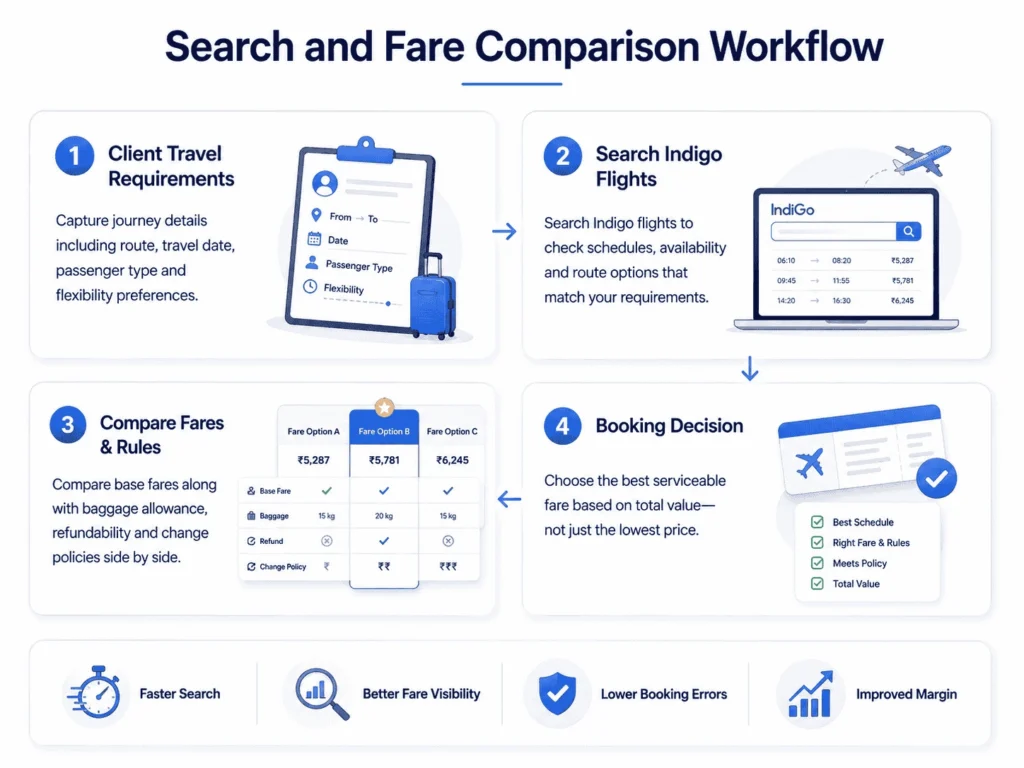
Agencies should compare fares based on:
- Base fare
- Taxes and charges
- Baggage inclusion
- Seat selection cost
- Change fee
- Cancellation fee
- Refund eligibility
- Payment charges
- Supplier service fee
- Agency markup
- Total invoice value
For business travelers, a slightly higher fare may be better if it allows easier changes. For leisure travelers with fixed plans, a lower fare may work if they understand the restrictions.
Indigo Fare Evaluation Table
| Evaluation Point | What to Check | Why It Matters |
|---|---|---|
| Base Fare | Ticket price before add-ons | Helps compare visible fare cost |
| Taxes & Fees | Government and airline charges | Shows real payable amount |
| Baggage | Cabin and checked baggage rules | Avoids airport disputes |
| Change Policy | Date or route change cost | Important for flexible travelers |
| Refund Policy | Refundable or non-refundable terms | Reduces cancellation confusion |
| Payment Deadline | Time allowed before fare expires | Prevents fare loss |
| Supplier Rules | API, GDS, or airline conditions | Helps with servicing later |
Step 4: Verify Passenger Details Carefully
Passenger data accuracy is one of the most important parts of the Indigo airline booking process. A small spelling mistake can create correction issues, delays, or extra charges.
Agencies should confirm:
- Full name as per ID or passport
- Date of birth when required
- Gender if required
- Mobile number
- Email address
- Passport details for international travel
- National ID details if required
- Special service requests
- Emergency contact for corporate travel
For group bookings or corporate bookings, use a standard passenger data form. Do not rely only on chat messages because names and numbers can be copied incorrectly.
Step 5: Review Baggage and Add-ons
Baggage is one of the most common reasons customers contact agencies after booking. Many travelers assume baggage is included, but rules can vary by route, fare type, and booking condition.
Before issuing the ticket, confirm:
- Cabin baggage allowance
- Checked baggage allowance
- Extra baggage price
- Sports equipment rules
- Infant baggage rules
- International baggage differences
- Add-on meal or seat cost
The baggage information should be included in the booking confirmation or itinerary message. This makes the customer experience clearer and reduces repeated support questions.
Step 6: Get Payment and Approval Before Ticketing
For agencies, ticketing before payment confirmation is risky. Fares can change quickly, and tickets may become non-refundable after issuance.
A safe workflow should include:
- Final fare confirmation
- Customer approval
- Payment confirmation
- Internal approval for corporate clients
- Invoice or receipt generation
- Ticketing authorization
For B2B agencies, sub-agent bookings should also have credit limit checks. If the sub-agent does not have enough balance or credit approval, ticketing should not proceed.
Step 7: Issue the Indigo Ticket
Once passenger details, fare rules, baggage, and payment are confirmed, the ticket can be issued.
After ticketing, store these details:
- PNR or booking reference
- E-ticket number if available
- Passenger name
- Flight number
- Route
- Travel date
- Fare paid
- Baggage details
- Refund and cancellation rules
- Supplier reference
- Invoice number
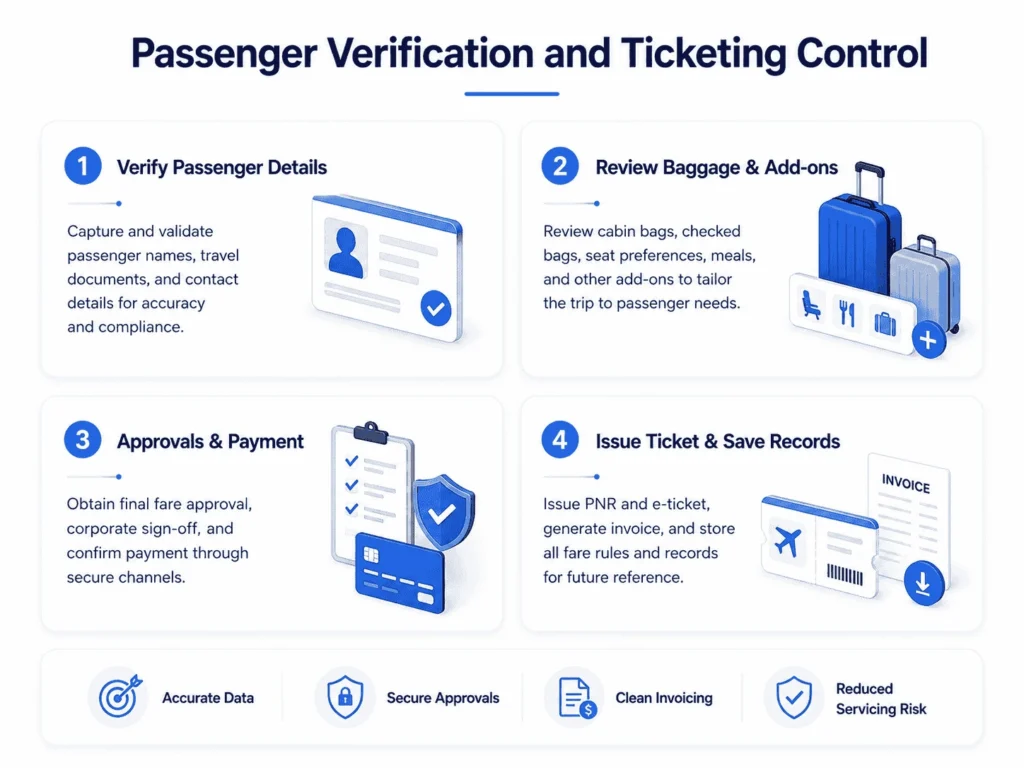
This information should be easy for the support team to access later. If only the booking agent has the details, your agency will face delays whenever another team member handles the customer.
For a more structured workflow, agencies can connect their process with an Indigo ticketing resource where booking, fares, baggage, refunds, and check-in workflows are explained for travel businesses.
Step 8: Send Booking Confirmation to the Customer
After ticket issuance, send a clear confirmation message. Avoid sending only a screenshot or short text. Customers need complete information.
A good Indigo booking confirmation should include:
- Passenger name
- PNR or booking reference
- Flight number
- Departure and arrival airports
- Departure and arrival time
- Baggage allowance
- Check-in guidance
- Cancellation and refund note
- Agency support contact
- Payment receipt or invoice
This helps customers self-serve basic questions and reduces support load.
Step 9: Manage Post-Booking Support
The booking process does not end after ticket issuance. Agencies must be ready to handle post-booking requests.
Common post-booking cases include:
- Date change
- Name correction
- Flight cancellation
- Refund request
- No-show issue
- Baggage clarification
- Flight status check
- Check-in support
- Booking confirmation resend
Each request should be handled with a proper approval trail. For example, before cancellation, the agent should check refund eligibility, explain charges to the customer, get written confirmation, and then process the request.
Comparison: Manual Booking vs Structured Booking Workflow
| Area | Manual Process | Structured Agency Workflow |
|---|---|---|
| Passenger Data | Collected through chat or calls | Captured through standard forms |
| Fare Check | Often based on lowest price | Based on full fare rules and total cost |
| Payment | Sometimes confirmed informally | Recorded with approval trail |
| Ticketing | Agent-dependent | Process-based and trackable |
| Support | Repeated customer follow-ups | Clear records for faster response |
| Refunds | Confusing and delayed | Rule-based and documented |
| Scalability | Difficult for high volume | Better for agencies, OTAs, and B2B teams |
Common Mistakes Agencies Should Avoid
Booking Only the Cheapest Fare
The cheapest fare may have strict change or refund rules. Always compare total cost and flexibility.
Not Confirming Passenger Names Properly
Name mistakes can create ticket correction problems. Always match the name with the official document.
Ignoring Baggage Rules
Baggage confusion creates customer complaints. Add baggage details to the itinerary.
Ticketing Without Payment Approval
Issuing tickets before payment can create financial risk for the agency.
Not Saving Fare Rules
If refund or cancellation questions come later, your team needs the original fare rule details.
Using Too Many Manual Tools
Spreadsheets, chats, and disconnected systems can work for small volume, but they become risky as bookings grow.
What Actually Works for Agencies
A reliable Indigo airline booking process works best when the agency has:
- Standard booking request form
- Real-time fare search
- Fare rule review checklist
- Passenger data validation
- Payment approval workflow
- Ticketing control
- Central booking records
- Post-booking support process
- Clear internal responsibility for each step
For OTAs and larger agencies, connecting suppliers, APIs, payment gateways, CRM, and booking engines into one workflow can reduce manual work and improve customer experience.
Where PHPTRAVELS Fits in the Booking Workflow
After the agency understands the correct booking process, technology can help manage it more efficiently. PHPTRAVELS can support travel businesses that need a centralized system for flight booking workflows, supplier connectivity, customer records, and booking management.
For agencies, OTAs, DMCs, hotels, and tour operators, the value is not just displaying flights. The real value is controlling the full operation from search to confirmation and support.
PHPTRAVELS can fit use cases such as:
- Online travel agency flight booking
- B2B travel portal operations
- Multi-supplier booking workflows
- Travel agent booking management
- Customer and sub-agent booking records
- Payment and invoice handling
- Post-booking service tracking
This is useful when a business wants to reduce manual work and create a more professional booking experience for customers and agents.