
Website, URL, domain name. People use the three terms as if they meant the same thing, but they don’t. A domain name is the part you own and renew. The website is what you publish on it. The URL is the exact address of one page on that website. If you run a travel business online, these basics affect your brand, your email, your search visibility and, if a renewal is ever missed, whether customers can reach you at all.
This guide covers the fundamentals of domain names: structure, DNS, who runs the system, the renewal lifecycle, key DNS records, and how a travel agency should choose and protect its domain.
Website vs URL vs Domain Name: What Is the Difference?

Website
A website is a collection of web pages, images, scripts and other files served from one or more computers (servers) and published on the World Wide Web.
URL
URL stands for Uniform Resource Locator. It is the full route to one specific resource, such as https://www.youragency.com/tours/dubai-city-tour?currency=PKR. It combines a scheme (https), a host name, a path and sometimes a query string. Think of the domain name as the street address of a building and the URL as directions to one room inside it.
Domain name
A domain name is the human-readable name that identifies your place on the internet, such as youragency.com. Computers find each other using numeric IP addresses, and the Domain Name System (DNS) maps domain names to those numbers. You don’t buy a domain name outright. You register the right to use it for a set period, usually one to ten years, through a registrar, and you have to renew it to keep it.
How Domain Names Work: DNS Resolution Step by Step
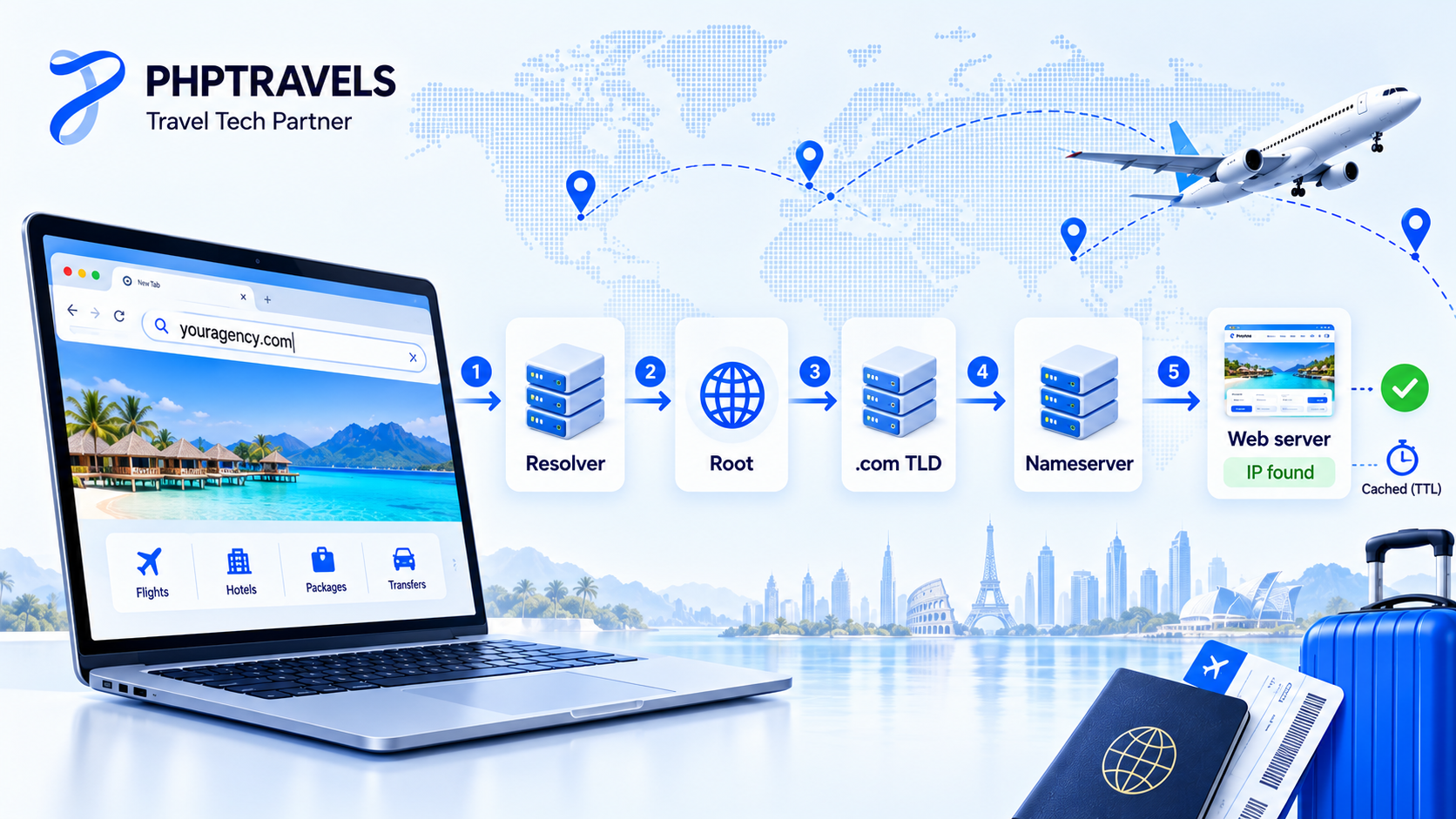
When a traveller types your domain into a browser, a quick lookup chain runs in the background, normally in milliseconds. The rules come from the original DNS specifications, RFC 1034 and RFC 1035.
- Local cache check. The browser and operating system first check whether they already know the answer from a recent visit.
- Recursive resolver. If not, the request goes to a recursive resolver, usually run by the internet provider or a public DNS service.
- Root servers. The resolver asks a root server where to find the servers for the top-level domain, for example
.com. There are 13 named root server identities, each served from many locations around the world. - TLD servers. The
.comregistry’s servers reply with the nameservers responsible foryouragency.com. - Authoritative nameservers. Your DNS host (often your registrar, hosting company or a DNS provider) returns the actual record, such as the IP address of your web server.
- Connection and caching. The browser connects to that IP address, and the answer is cached for the record’s TTL (time to live) so the next lookup is faster.
Caching is why DNS changes take time to “propagate”. Before moving your website or booking engine to a new server, lower the TTL a day ahead so the switch takes effect quickly.
Anatomy of a Domain Name: TLD, Second-Level Domain and Subdomain

Domain names are read from right to left, from the most general part to the most specific. Take https://www.reinvent.com:
- .com is the top-level domain (TLD), also called the extension.
- reinvent is the second-level domain (SLD), the part you choose and register.
- www is a subdomain, a label you create yourself under the domain you own.
Top-level domain
The TLD is the ending after the last dot: .com, .org, .net, .pk, .travel and so on. It decides which registry holds your record and which rules (eligibility, pricing, local presence) apply.
Second-level domain
The second-level domain is the name to the left of the TLD and is usually your brand. Some country registries add a fixed second level, so the name you register sits one step lower. In youragency.com.pk, for example, .com.pk is the category set by the registry.
Subdomain
Subdomains organise services under your main name, for example blog.youragency.com, book.youragency.com or agents.youragency.com. You create them free as DNS records, and each can point to a different server.
Types of Top-Level Domains: gTLDs, ccTLDs and New gTLDs
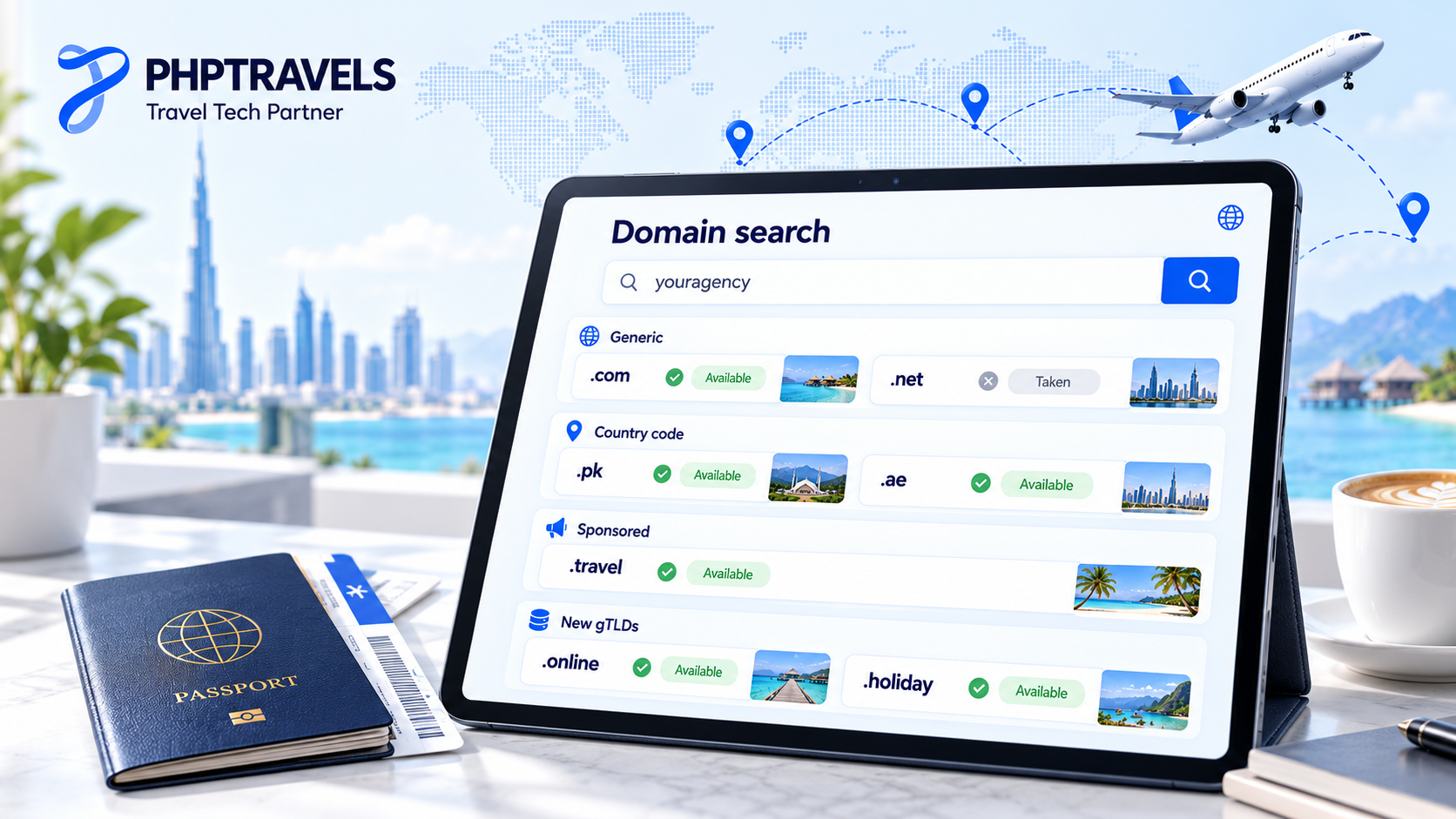
The IANA Root Zone Database lists every TLD. IANA’s published list held 1,437 TLDs when we checked in October 2026. Those TLDs, and the domain names registered under them, fall into a few groups:
- Generic TLDs (gTLDs): the original open extensions such as
.com,.netand.org. According to Verisign’s Domain Name Industry Brief,.comalone had about 166.6 million registrations at the end of June 2026, out of roughly 401.6 million across all TLDs. - Sponsored and restricted TLDs: extensions run for a specific community, such as
.edu,.govand.travel, which is aimed at the travel and tourism industry. - Country-code TLDs (ccTLDs): two-letter extensions based on country codes, such as
.pk(Pakistan, managed by PKNIC),.ae,.ukand.in. Each country sets its own registration rules. - New gTLDs: hundreds of newer extensions such as
.app,.onlineand.holiday, added mainly through ICANN’s 2012 programme. ICANN ran a new application window for its 2026 New gTLD Round from 30 April to 12 August 2026.
Some ccTLDs, such as .co, .io, .tv and .me, are marketed worldwide as “vanity” extensions. Google says it treats several of these like generic TLDs rather than as a signal for one country.
Who Runs Domain Names: ICANN, IANA, Registries and Registrars
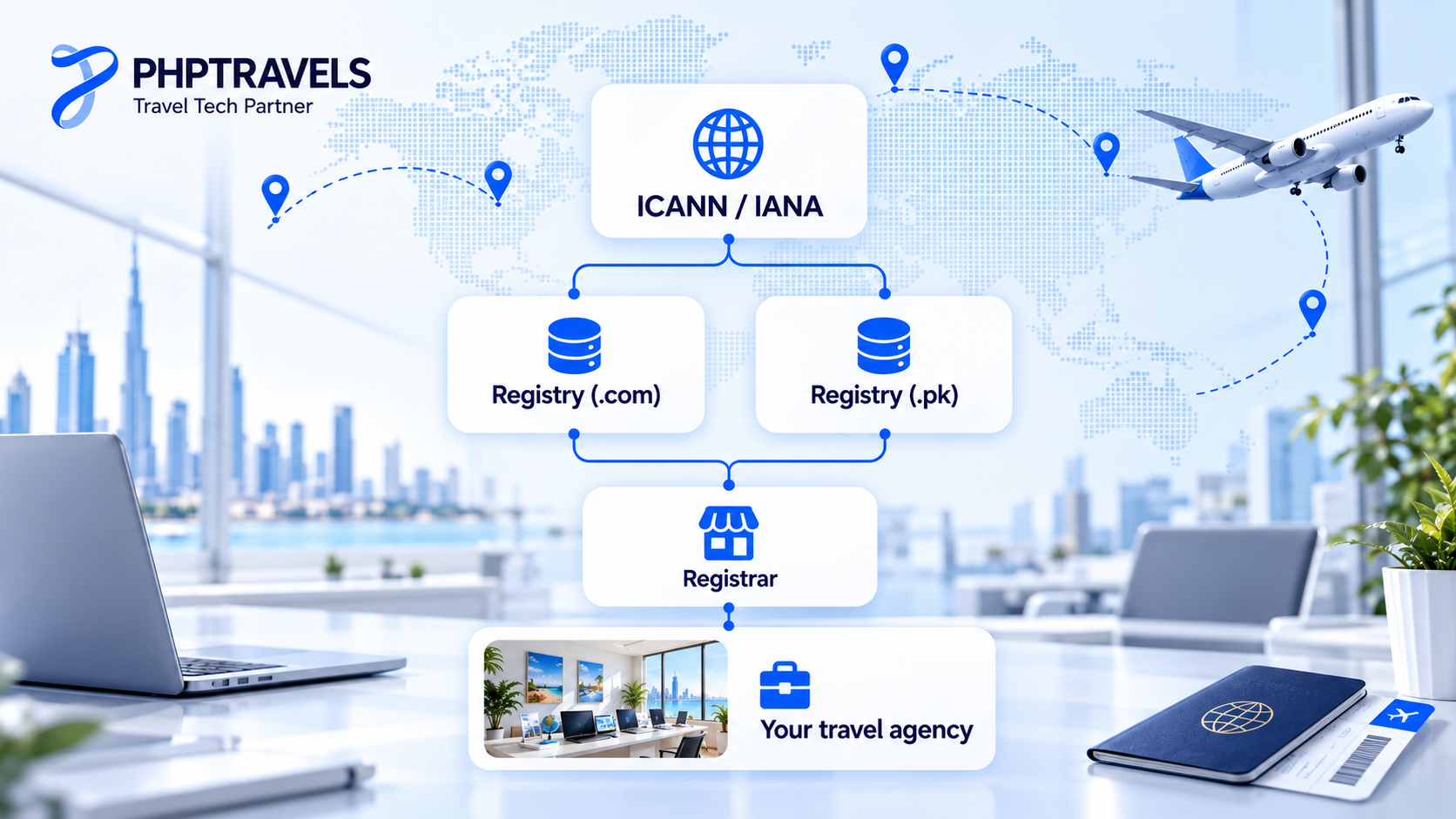
No single company “owns” domain names. Responsibility is layered:
| Role | What it does | Example |
|---|---|---|
| ICANN | Non-profit that coordinates the global namespace, makes policy for gTLDs and accredits registrars | ICANN |
| IANA functions | Maintains the root zone, the list of TLDs and their operators (now performed by PTI, an ICANN affiliate) | IANA root zone management |
| Registry | Runs the database and nameservers for one TLD and sets wholesale rules | Verisign for .com and .net; PKNIC for .pk |
| Registrar | Sells registrations to the public and submits them to the registry | Any ICANN-accredited registrar |
| Reseller | Sells domains under a registrar’s accreditation, often bundled with hosting | Hosting companies, web agencies |
| Registrant | You: the person or company holding the registration | Your travel agency |
In practice, the registrant matters most. Make sure the domain is registered in your company’s name, using a role email address you control such as admin@, and not under a former developer’s or freelancer’s personal account. Recovering a domain from someone who has left is a common, avoidable headache.
WHOIS, RDAP and Domain Privacy

Every domain registration has contact data behind it, and for decades that data was looked up with WHOIS. On 28 January 2025, ICANN made the Registration Data Access Protocol (RDAP) the definitive source for gTLD registration data, replacing the legacy WHOIS services. RDAP returns structured, machine-readable results (defined in RFC 9083), supports non-Latin scripts, and allows different levels of access. You can check any gTLD domain with ICANN’s free Lookup tool.
Since privacy laws such as the GDPR came in, most registrars redact personal details from public results by default, and many offer privacy or proxy services. Two points still matter:
- Your real contact details must stay accurate with the registrar. Renewal notices, transfer approvals and verification emails go to them, and inaccurate data can lead to suspension.
- Look up your own domain now and then. Check the expiry date, registrar and status codes.
Domain Registration, Renewal and Expiry: The Domain Lifecycle
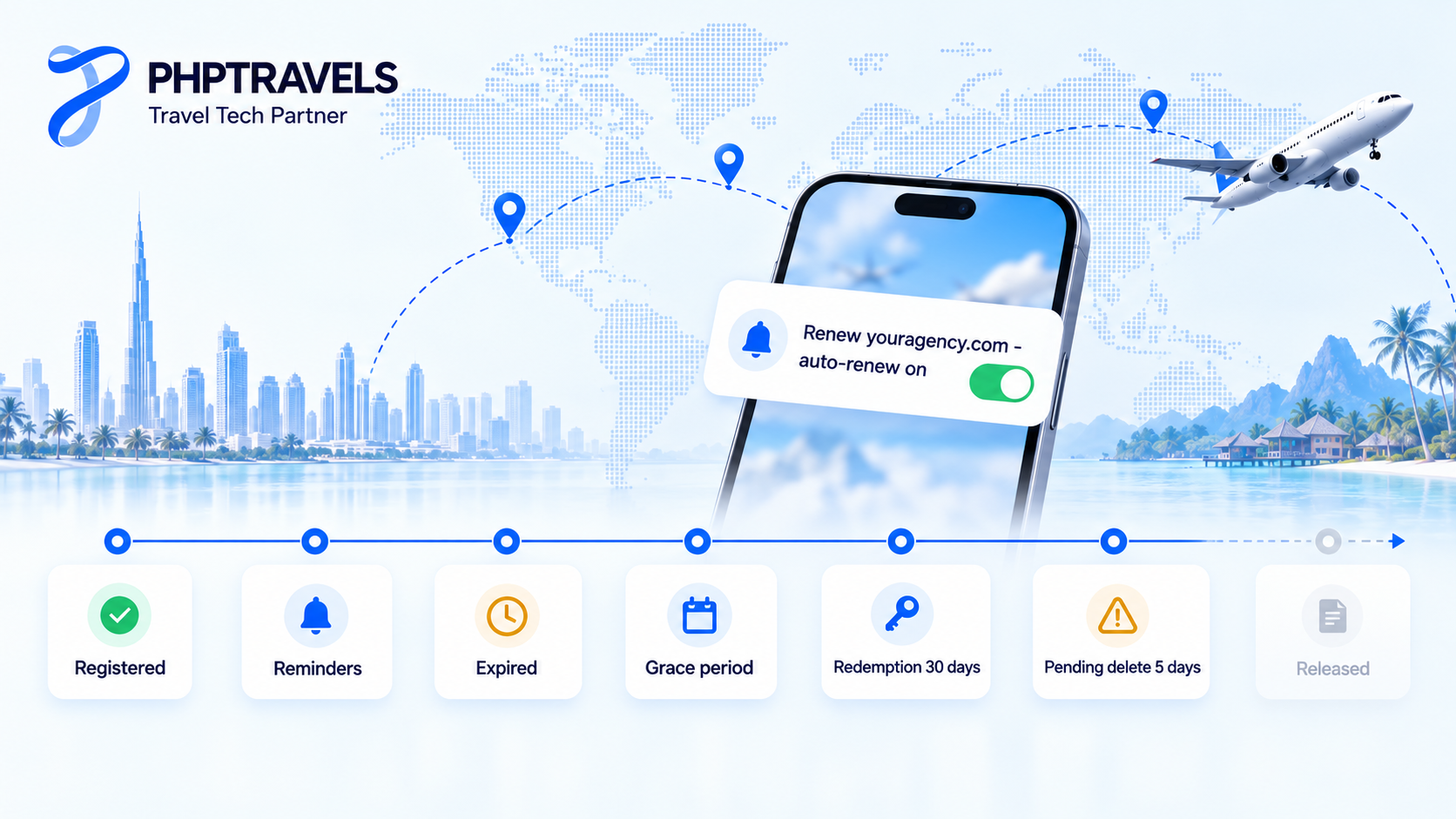
Domain names move through predictable stages. Exact timings vary by registry and registrar, but for most gTLDs the framework comes from ICANN policy and registry agreements:
- Registration: usually for 1 to 10 years.
- Renewal reminders: under ICANN’s Expired Registration Recovery Policy, registrars must send notices before expiry (roughly one month and one week ahead) and another shortly after.
- Expiry and grace: after the expiry date, your website and email may stop working, because the registrar must interrupt the DNS path before deleting the name. Many registrars still let you renew at the normal price for a period, often up to around 30 to 45 days. Check your registrar’s terms.
- Redemption grace period: if the registrar deletes the name, gTLD registries hold it in a 30-day redemption period. You can still restore it, but usually only for a much higher fee.
- Pending delete: about five days later, the name is purged and released for anyone to register, including domain investors and competitors.
ccTLDs such as .pk follow their own registry’s rules. The simplest protection is to turn on auto-renew, keep a valid payment card on file, and register your main domain for several years at a time.
DNS Records Every Website Owner Should Know
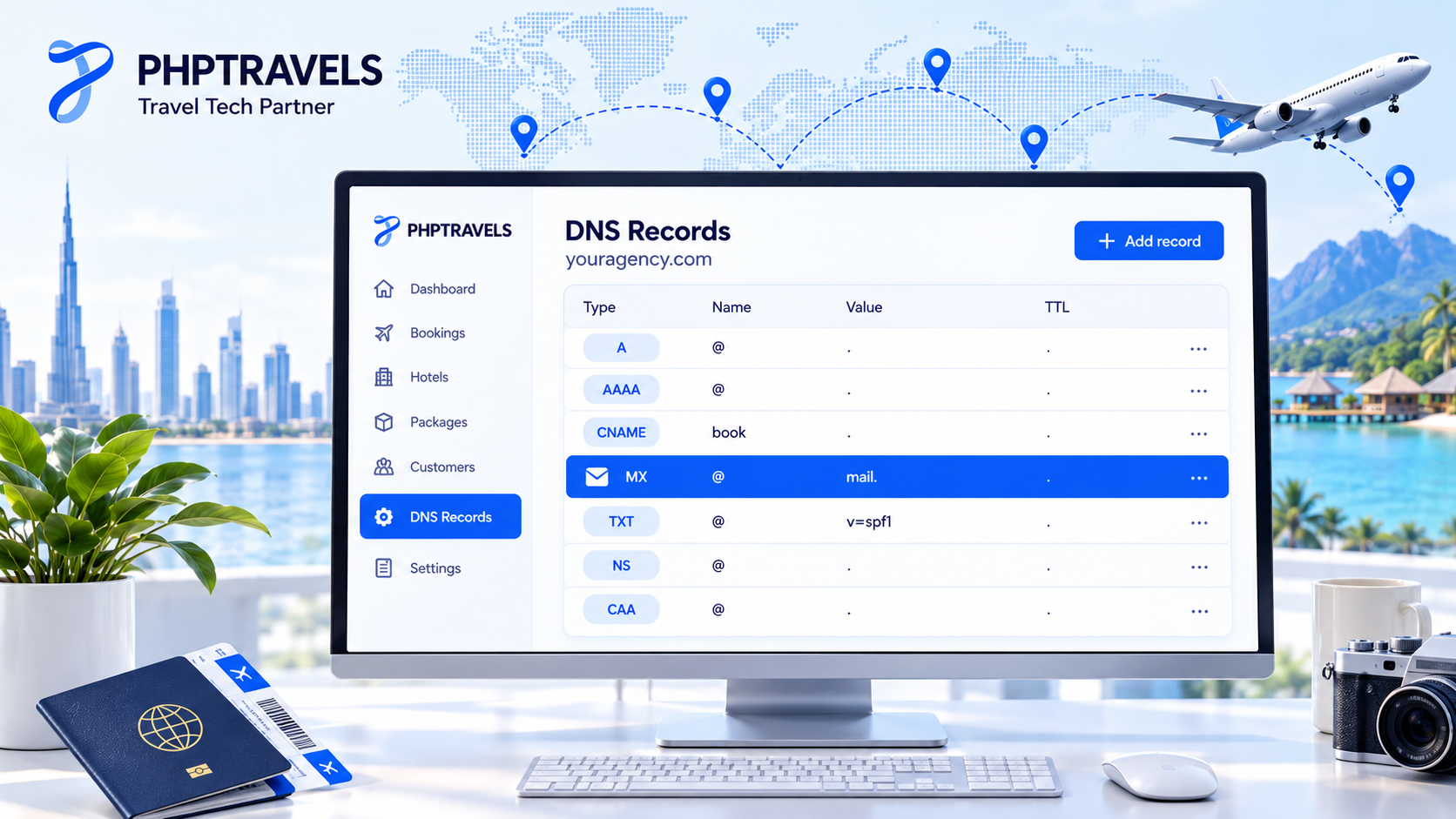
Your DNS zone is a small set of records that tells the internet where your services live. These are the ones you will meet most often:
| Record | What it does | Typical travel-business use |
|---|---|---|
| A | Points a name to an IPv4 address | youragency.com → your web or booking server |
| AAAA | Points a name to an IPv6 address | Same as A, for IPv6-enabled hosting |
| CNAME | Makes one name an alias of another name | www or book → a host name supplied by your platform or CDN |
| MX | Names the mail servers for the domain | Bookings, vouchers and invoices sent from reservations@youragency.com |
| TXT | Holds text values used for verification and email policy | SPF, DKIM and DMARC records; Google Search Console verification |
| NS | Names the authoritative nameservers for the zone | Set at the registrar; decides where all other records are managed |
| CAA | Limits which certificate authorities may issue SSL certificates for the domain | Optional extra protection against mis-issued certificates |
For travel businesses, the email records matter as much as the website ones. Confirmations and e-tickets that land in spam cost real money, and large mailbox providers now expect SPF, DKIM and DMARC from bulk senders.
DNSSEC and HTTPS: Securing the Name and the Connection
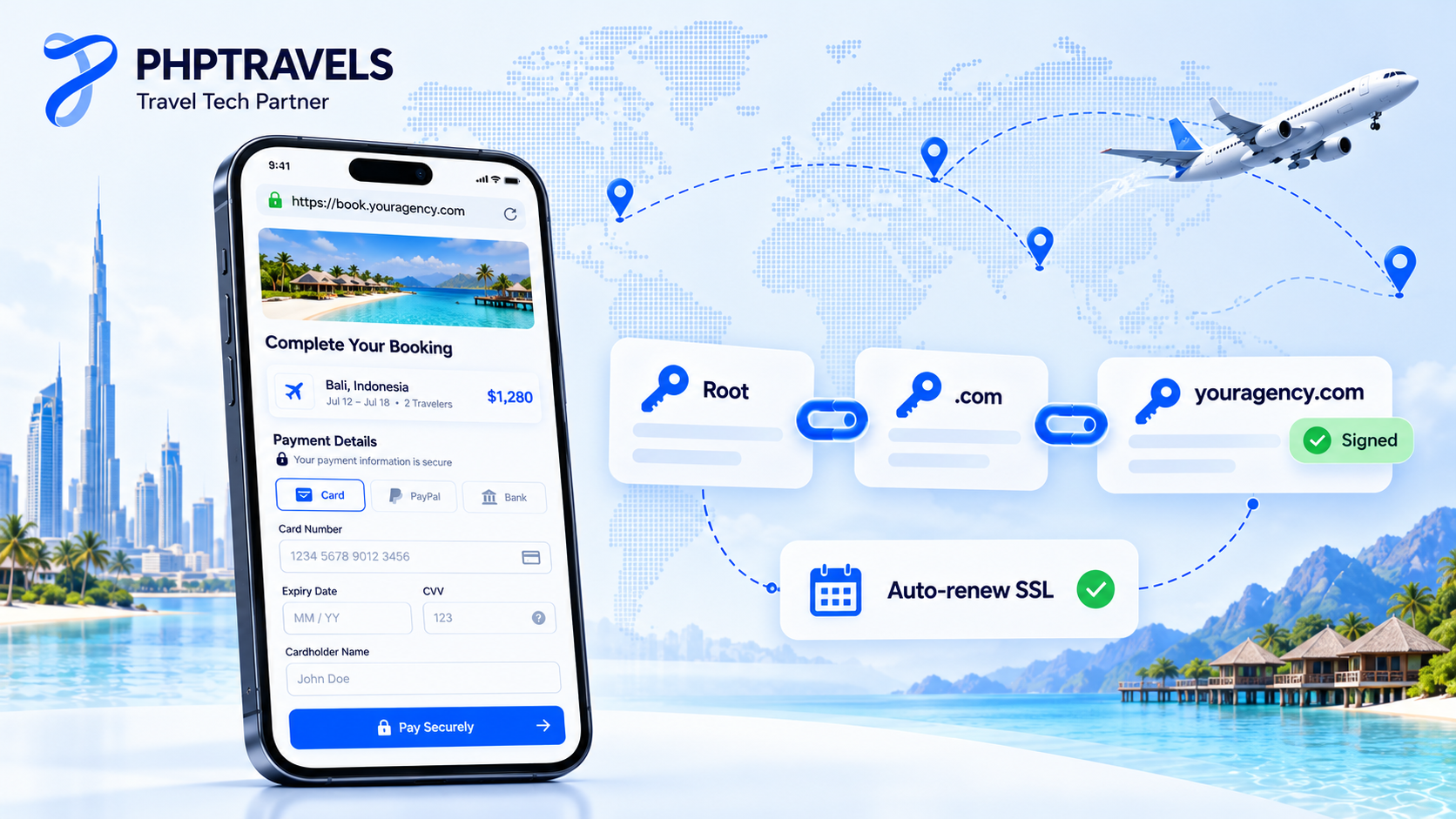
Two different technologies protect two different things.
DNSSEC
DNSSEC (RFC 4033 and related standards) adds cryptographic signatures to DNS answers, so resolvers can confirm a record really came from your zone and wasn’t forged in transit. The root zone has been signed since 2010, and you turn DNSSEC on for your domain through your DNS host and registrar, which publish a DS record at the registry. It protects against spoofed DNS answers. It does not encrypt traffic or stop someone who has logged into your registrar account. See IANA’s DNSSEC overview for how the chain of trust works.
SSL/TLS and HTTPS
An SSL/TLS certificate encrypts the connection between the traveller’s browser and your server and proves the site belongs to your domain. Google has used HTTPS as a lightweight ranking signal since 2014, and browsers label plain HTTP pages “Not secure”.
Certificate lifetimes are also getting shorter. Under the CA/Browser Forum’s Ballot SC-081, the maximum validity of public TLS certificates fell to 200 days for certificates issued from 15 March 2026. It is scheduled to fall to 100 days in 2027 and 47 days in 2029. Manual renewal won’t keep up, so use automated issuance (for example, ACME clients such as Let’s Encrypt or your host’s auto-SSL) and monitor expiry dates.
How to Choose a Domain Name for a Travel Agency

Domain names are hard to change once they appear on ads, vouchers, WhatsApp messages, visiting cards and every booking email. A practical checklist:
- Brand first, keywords second. A short, distinctive brand such as
skyroutetravels.comages better thancheap-dubai-tours-karachi.com. Keywords in the domain don’t earn a ranking bonus, and they can limit you if you later add Umrah, visas or hotels. The travel brand identity guide explains how the name fits the wider brand. - Easy to say and spell. Test it out loud on the phone. Avoid hyphens and confusing numbers.
.comvs a ccTLD such as.pk. A.comsuits agencies selling across borders. A.pkor.com.pksignals a local business to Pakistani travellers and to Google. Many agencies register both and redirect one to the other.- Local SEO comes from more than the domain. A Google Business Profile, consistent contact details, reviews and local pages matter far more than a city name in the domain.
- Plan subdomains early. Decide where the blog, the booking engine and the B2B agent area will live, such as
youragency.com,book.youragency.comandagents.youragency.com.
Your domain choice and your platform choice are linked. If you are still shortlisting software, these travel software buyer checklists cover the platform side of the same launch decision.
How to Protect Your Domain: Registrar Lock, 2FA and Transfer Rules
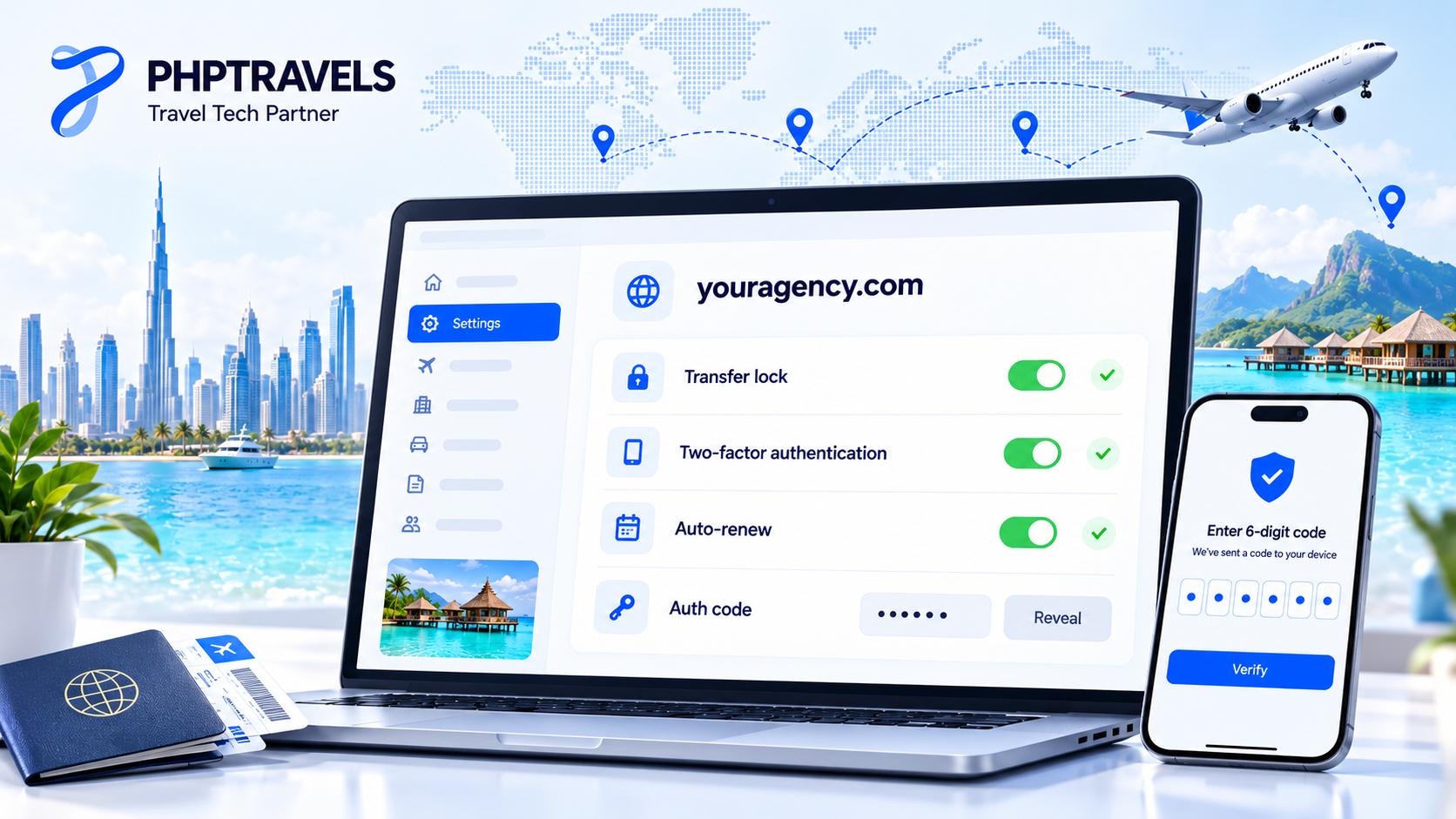
Losing control of one of your domain names, through hijacking, a phished registrar login or a missed renewal, takes your website, booking engine and email offline in one go. Basic protection costs little:
- Turn on two-factor authentication on the registrar and DNS accounts, and limit who has access.
- Keep the registrar (transfer) lock on. This sets the
clientTransferProhibitedstatus, so the domain can’t be moved to another registrar without you unlocking it first. Look for it in the EPP status codes in your Lookup result. - Guard the auth (EPP) code. It is effectively a transfer password.
- Know the 60-day rules. Under ICANN’s current transfer policy, a gTLD domain generally can’t move to a new registrar within 60 days of registration or a previous transfer, and a change of registrant can trigger a further 60-day lock. ICANN has been revising these rules, so check your registrar’s current terms before planning a migration.
- Remove stale DNS records. A CNAME still pointing to a cancelled third-party service can be taken over to serve content on your subdomain.
Domain security belongs in your wider security plan. The guide to cybersecurity in the tourism industry covers the rest of the stack.
Domain Names and SEO: Myths vs Facts
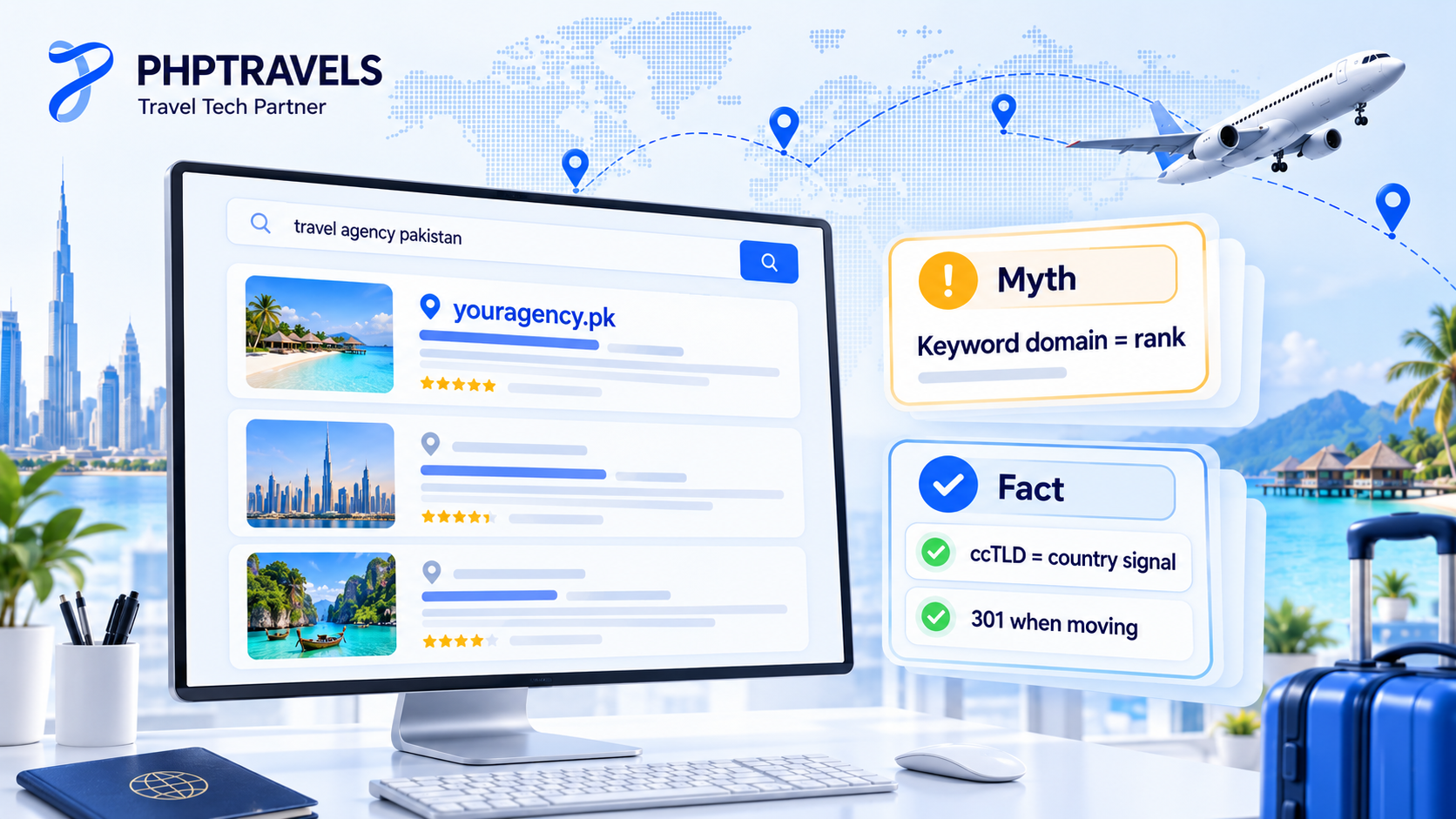
- Myth: a new gTLD such as
.travelor.holidayranks better for travel searches. Google has said that new gTLDs are treated like other gTLDs, and keywords in the extension give no advantage or disadvantage. - Fact: ccTLDs are a country signal. Google’s guidance on multi-regional sites treats most ccTLDs, such as
.pkor.ae, as a strong hint about the target country. If you serve several markets, read the guide to multilingual travel booking software as well. - Myth: exact-match domains are a shortcut. A keyword domain with thin content won’t outrank a trusted brand with genuinely useful pages.
- Fact: changing domains carries risk. If you rebrand, map every old URL to its new one with 301 redirects, use Search Console’s Change of Address tool, and keep the old domain registered for years.
Running Your Travel Booking Website on Your Own Domain with PHPTRAVELS
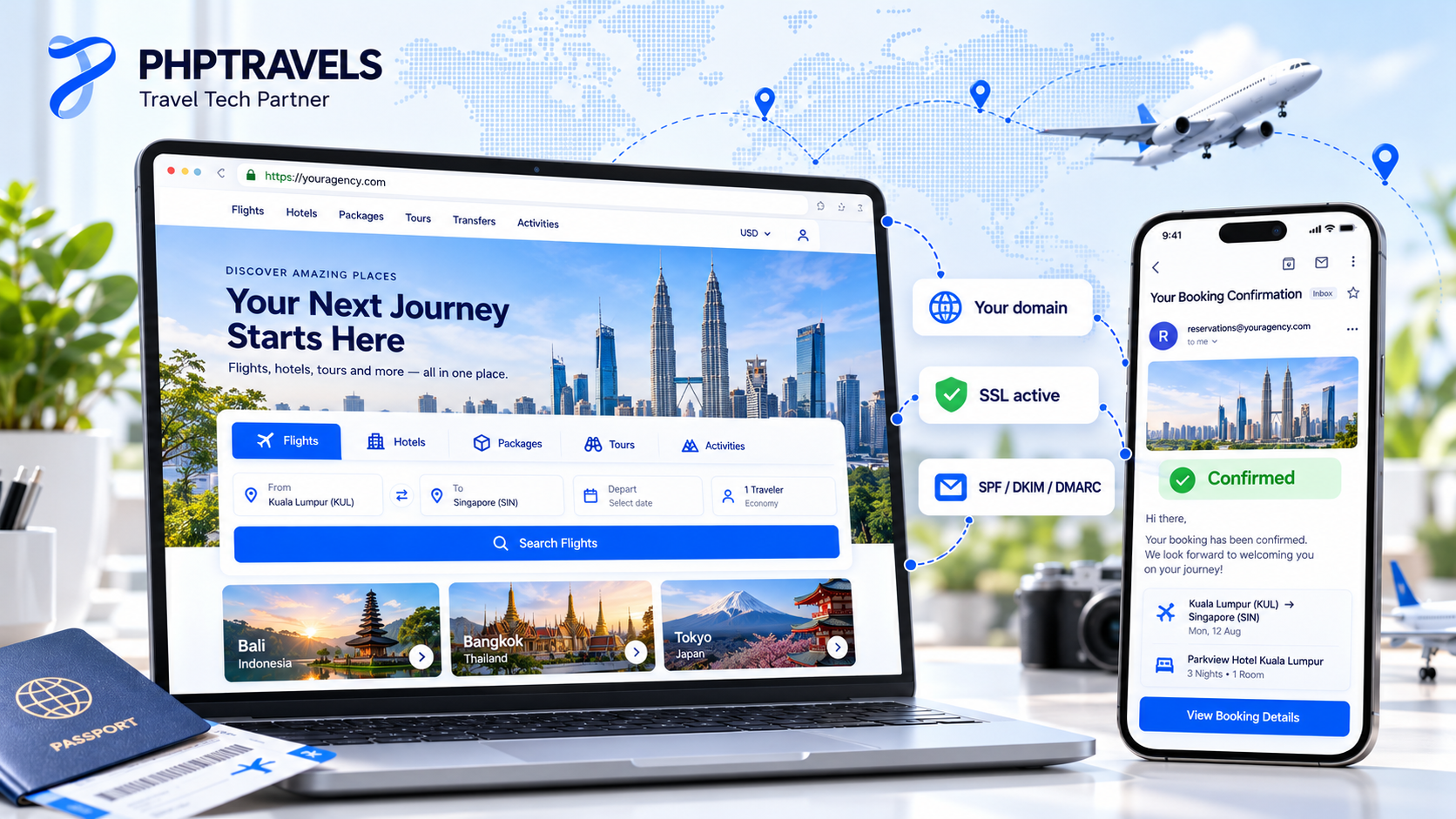
For travel agencies, domain names are where branding and booking come together. Travellers should search, pay and receive vouchers on your domain, not on a supplier’s or software vendor’s address. That is the idea behind white-label travel booking software.
PHPTRAVELS is sold as a licensed product that you install on your own domain and hosting, or use with managed hosting, so the storefront, agent experience and emails carry your brand. A few practical points:
- The domain is yours to register. Domain and hosting costs are separate from the software licence, and the licence is tied to the domain you deploy on. Register the domain in your company’s name before onboarding.
- Hosting matters. Self-hosted installations need a proper VPS or cloud server, not basic shared hosting. Check the server requirements and the guide to hosting for travel websites.
- Get DNS and email ready. Point your A or CNAME records at the server, issue SSL, and publish SPF, DKIM and DMARC before you send the first booking confirmation.
- Own the stack. Compare self-hosted travel booking software with SaaS. With self-hosting, the domain, the data and the supplier contracts stay with you.
To see the booking flows working, try the PHPTRAVELS demo or work out a licence on the pricing page.
Frequently Asked Questions About Domain Names
What is the difference between a domain name and a URL?
A domain name such as youragency.com identifies a site. A URL such as https://youragency.com/tours/baku is the full address of one page or file on it, including the scheme and path.
Do I own my domain name forever?
No. You hold a registration for a fixed term, usually one to ten years, and must renew it. If it expires and passes the grace and redemption periods, anyone can register it.
Is .com better than .pk for a Pakistani travel agency?
Neither is better for every agency. A .pk signals a local business and helps local relevance, while a .com suits international sales. Many agencies register both and redirect one to the other.
Does the domain name affect Google rankings?
Only a little. Keywords in the name or extension give no special boost, but a ccTLD can signal a target country. Content, links and site experience matter far more.
What is the safest way to move a domain to a new registrar?
Unlock the domain, get the auth code, start the transfer at the new registrar and approve the confirmation emails. Avoid changing registrant details right before a transfer, as that can trigger a 60-day lock.