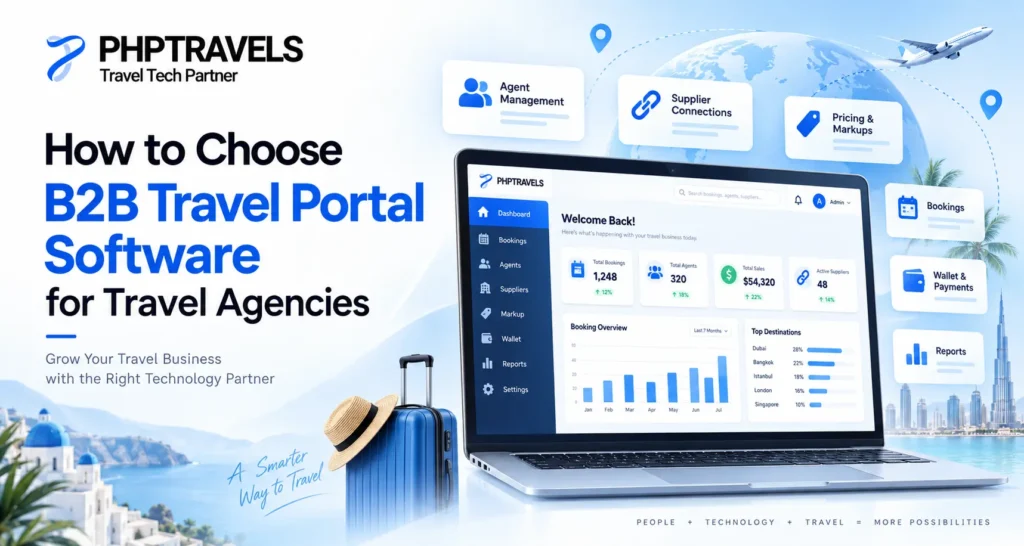
B2B travel portal software is an agent-facing booking and distribution platform that helps travel agencies manage reseller access, supplier inventory, markups, commissions, credit limits, bookings, payments, documents, and reporting in one workflow. The right platform should match your business model, supplier strategy, financial controls, and growth plans not simply offer the longest feature list.
Why Choosing the Right B2B Portal Matters
As a travel agency grows, manual coordination becomes harder to control. Agents may request rates through chat, staff may check several supplier systems, pricing may be adjusted in spreadsheets, and payments may be tracked separately from bookings.
A B2B travel portal brings these activities into one operating environment. Agents can search approved inventory, receive the pricing assigned to their account, create bookings, access documents, and follow booking status while the main agency controls margins, credit exposure, supplier connections, and financial records.
If you need the wider supplier-to-agent context first, read how B2B works in the travel industry.
What Is B2B Travel Portal Software?
B2B travel portal software is designed for travel businesses that sell through agents, sub-agents, branches, corporate accounts, or reseller partners rather than only selling directly to travelers.
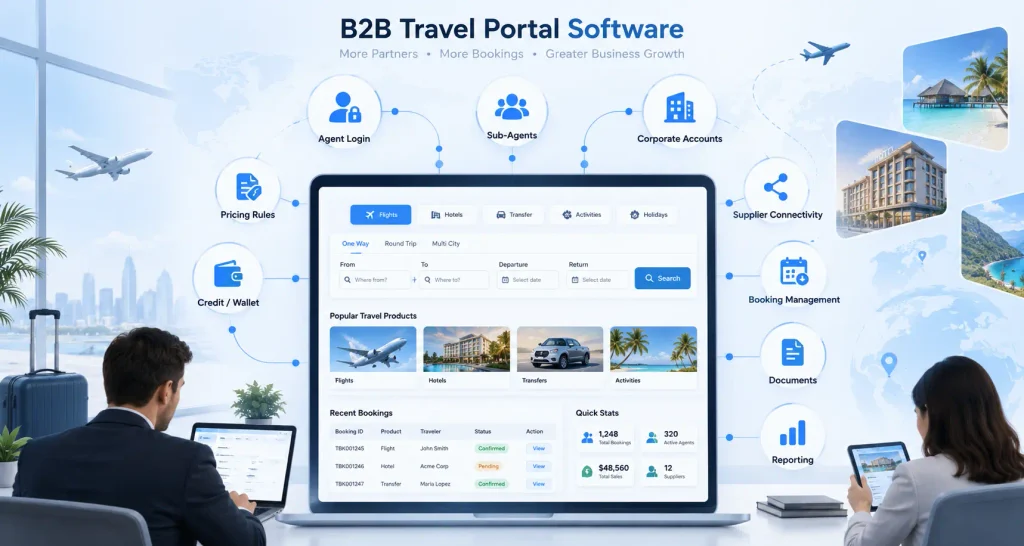
A complete portal normally includes agent login, inventory search, supplier connectivity, pricing rules, booking management, payment or credit controls, documents, and reporting. The booking engine is one part of this environment; the portal also manages the commercial and operational rules around each booking.
A system that can search a hotel or flight API is not automatically a complete B2B portal. Agencies also need to control who can book, which prices they see, how much credit they can use, which documents are generated, and how transactions are reconciled.
When Does a Travel Agency Need a B2B Portal?
There is no single agent count or booking volume that makes a portal mandatory. Look for operational signals.
You are likely ready for a structured B2B system when:
- Different agents require different markups or commissions.
- Credit limits, deposits, or balances are tracked manually.
- Confirmations, vouchers, and invoices are created in separate tools.
- Staff move between supplier extranets, spreadsheets, email, and messaging apps.
- Multiple suppliers need to be managed through one workflow.
- Amendments and cancellations are difficult to trace.
- Finance cannot see supplier cost, margin, payment status, and agent balance from the same booking.
- Management needs reporting by agent, branch, product, or supplier.
The objective is not simply more automation. It is a consistent process that can keep working as the reseller network grows.
How B2B Travel Portal Software Works
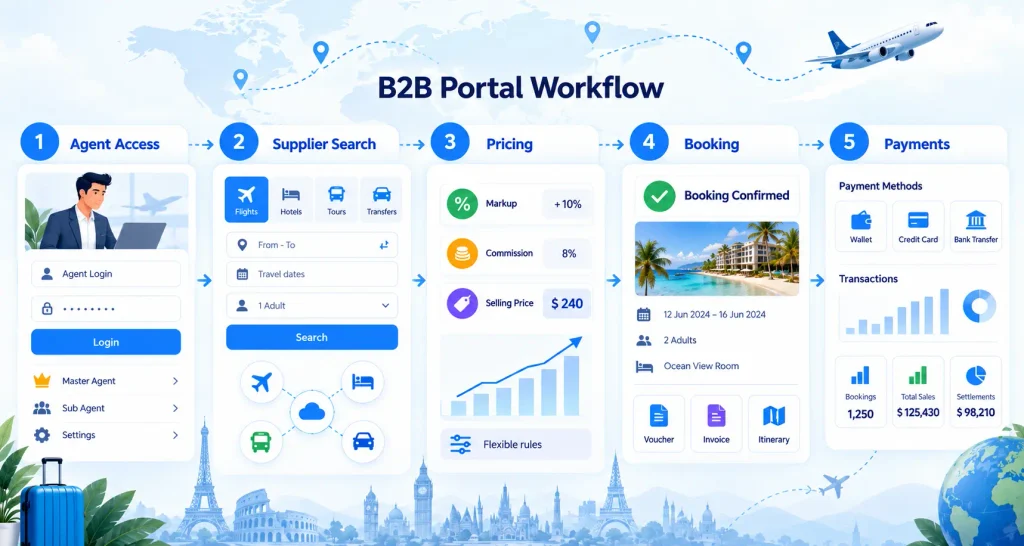
A practical B2B workflow usually follows the same sequence.
1. Agent Access and Permissions
Each agent receives an account with assigned permissions. The agency can control product access, branches, pricing visibility, booking permissions, wallet or credit rules, and market-specific settings.
2. Supplier Search and Availability
The portal connects inventory through supplier APIs, XML feeds, GDS connections, aggregators, or direct contracts. Agents search approved hotels, flights, tours, transfers, or other products.
For a deeper technical explanation of aggregation, mapping, and workflow design, the B2B travel portal architecture guide is the better resource.
3. Markups, Commissions, and Selling Price
The pricing engine applies rules defined for the agent, product, supplier, route, destination, or market. This reduces ad hoc pricing and makes margins easier to control.
4. Booking, Documents, and Servicing
When an agent confirms a booking, the system stores supplier responses, passenger details, pricing, payment status, and policies. Vouchers, invoices, itineraries, amendments, cancellations, and refunds should remain connected to the same booking record.
5. Payment, Credit, and Reporting
The portal records whether the booking is funded through card payment, bank transfer, wallet balance, deposit, or approved credit. Reporting connects bookings with revenue, supplier cost, commissions, balances, and settlement status.
B2B Travel Portal Software Comparison: What Should You Evaluate?
Compare each platform against the workflow your agency actually needs.
| Evaluation Area | What to Check | Why It Matters |
|---|---|---|
| Agent management | Roles, sub-agents, branches, permissions | Prevents every partner getting the same access |
| Pricing control | Markups and commissions by agent/product/market | Protects margin and reduces manual pricing |
| Credit controls | Limits, balances, deposits, exposure | Helps manage financial risk |
| Supplier connectivity | APIs, XML, GDS, direct contracts | Determines inventory and integration needs |
| Booking lifecycle | Confirmation, amendments, cancellation, refunds | Keeps servicing connected |
| Documents | Vouchers, invoices, itineraries, references | Reduces document mismatch |
| Payments | Online/offline methods and booking linkage | Improves reconciliation |
| Reporting | Margin, agent performance, supplier cost, settlement | Gives management usable visibility |
| Audit trail | Pricing, booking, payment, and user changes | Makes exceptions easier to investigate |
| Scalability | Agents, suppliers, products, markets, currencies | Reduces the need to replace the platform early |
White Label vs Custom vs API-Only: Which Setup Fits?
White Label Portal
A white label portal fits agencies that want to launch under their own brand without developing the complete platform from scratch. It can provide ready workflows, branding, booking tools, and administrative controls while still allowing configuration.
A white label booking system can be a practical starting point when faster deployment is more important than building every component yourself.
Custom Development
Custom development makes more sense when your competitive advantage depends on unique commercial logic, proprietary integrations, specialized workflows, or a user experience that cannot be handled through configuration.
The trade-off is greater development, testing, maintenance, and technical ownership.
API-Only Setup
An API provides data or booking functionality between systems. It does not automatically provide agent accounts, markups, credit limits, documents, reporting, or back-office workflows.
An API-only approach works when you already have a technical platform and need inventory connectivity. If you do not have the operational layer, you still need software around the API.
A dedicated B2B booking engine can serve the search-and-booking layer, while reseller pricing, documents, credit, and settlement usually require a broader portal workflow.
Supplier Integrations: More Is Not Always Better
A long supplier list is not automatically better. Relevance matters more than quantity.
Start with suppliers that support your target markets and products. Then check how the system handles response errors, duplicate content, cancellation rules, currency differences, supplier references, and reconciliation.
Adding many suppliers before the workflow is stable can increase mapping and support complexity. Review the available travel integrations and confirm which connections are ready, which require custom work, and which supplier credentials you must obtain yourself.
Payments, Credit, and Reconciliation Need Early Attention
A portal can look complete on the booking side and still create finance problems if payments are separate from the booking record.
Verify how the system handles agent deposits, wallet balances, credit limits, partial payments, refunds, supplier cost, commissions, service fees, and settlement reports.
If your business uses regional or multiple gateways, review travel payment gateway integration options before finalizing the setup.
The key question is whether finance can trace money back to the same booking reference used by reservations and support.
Cost Factors and Hidden Operational Costs
B2B portal cost can include licensing, hosting, branding, supplier integrations, payment setup, custom development, migration, training, maintenance, and support.
Do not compare platforms on headline price alone. A lower-cost system can become expensive if staff still need spreadsheets for pricing, manual documents for bookings, or separate tools for payment reconciliation.
Also ask what happens when you add another supplier, introduce a new agent tier, open a branch, sell in another currency, or need a custom workflow. A useful comparison includes both implementation cost and the operational work the platform creates or removes.
Red Flags Before You Buy
Be cautious if a platform cannot clearly demonstrate:
- Agent-specific pricing.
- Credit exposure and balances.
- Supplier confirmation tracking.
- Booking-linked vouchers and invoices.
- Amendments and refunds.
- Margin reporting.
- Role-based permissions.
- Audit history.
Another warning sign is a demo that shows only search and booking. B2B operations continue after confirmation, so servicing and finance matter just as much.
A Practical Rollout Plan
- Define agent groups, pricing rules, commissions, credit policies, and responsibilities.
- Connect the most important suppliers first.
- Configure booking references, documents, and cancellation workflows.
- Set up payments, wallet or credit rules, and reconciliation.
- Test failed bookings, amendments, cancellations, and refunds.
- Onboard a small group of agents and collect feedback.
- Expand suppliers and reseller access after the core workflow is stable.
A staged rollout makes it easier to identify whether an issue comes from pricing, supplier connectivity, permissions, finance, or the booking process.
Final Decision Checklist
Before signing with a provider, confirm that you can control pricing by agent or market, set credit limits, restrict agent permissions, connect the suppliers you need, keep documents tied to booking data, trace payments, audit changes, report margins, and scale across expected branches or currencies.
If several answers are unclear, request a deeper demo or requirements review before committing.
Conclusion
Choosing B2B travel portal software is mainly an operational decision. The right platform should give agents an easier booking experience while giving the main agency stronger control over pricing, supplier access, credit, documents, payments, and reporting.
Focus on the complete booking lifecycle rather than a feature count. Start with the workflows creating the most manual work today, confirm how the platform handles them, and then evaluate how easily the system can grow with your reseller network.
To see these workflows in practice, explore a live B2B travel portal and review agent access, markups, supplier connectivity, vouchers, invoices, payments, and reporting in one environment.