Running a travel business as a solo operator comes with challenges. You need to attract customers, answer inquiries, confirm bookings, and manage payments — often without a team to support you. That’s where WhatsApp Marketing becomes more than just a messaging app. For small and independent operators, it’s an essential tool to connect with clients, automate communication, and increase bookings without extra overhead.
Travelers today prefer quick, direct communication. Emails may go unread, phone calls can be inconvenient, and website forms often feel impersonal. Messaging apps like WhatsApp provide instant, personalized contact. For solo tour operators, this means building trust faster and keeping customers engaged throughout the booking journey.
Large travel agencies often lack the flexibility and personal service that solo operators can provide. By embracing WhatsApp, you position yourself as approachable, responsive, and customer-friendly. This not only boosts conversions but also increases repeat business and referrals.
WhatsApp Marketing Features Help Tour Operators Automate and Grow
For solo and small tour operators, WhatsApp isn’t just a messaging app but it’s a lightweight booking channel that lives where your customers already are. Used well, it can shorten response times, lift deposit rates, and reduce no-shows. Below is a clean, professional walkthrough of the WhatsApp Business features that matter, with real examples and pro tips.
WhatsApp Business Profile & Branding
A dedicated business profile that shows your logo, business category, website, hours, address, and “About” line. First impressions count. A completed profile signals legitimacy and removes friction for new travelers.
How to use it:
- Add a crisp logo and a short, benefit-led description (e.g., “Small-group city hikes & sunrise jeep tours—instant confirmations.”)
- Set hours and away rules so expectations are clear.
WhatsApp Catalog (Service Menu)
A browsable, in-app catalog of tours with photos, descriptions, and prices. Prospects can self-educate without leaving WhatsApp—fewer back-and-forth messages, faster decisions.
How to use it:
- Create a card for each tour (title, 1–2 benefit bullets, duration, price from, what’s included).
- Add one clear CTA in each description: “Reply ‘BOOK SUNRISE’ to hold your seat” or a payment link for deposits.
Quick Replies & Away Messages
What it is: Saved reply shortcuts (e.g., /price, /meetingpoint) and automated away messages.
Why it matters: Keeps your first response time under 15 minutes—even while you’re guiding.
How to use it:
- Create 6–8 Quick Replies for price, availability, meeting point, cancellation policy, what to bring, and weather.
- Set an away message with a next-step prompt: “Thanks for reaching out! Share your date, group size, and hotel—I’ll confirm availability ASAP.”
Pro tip: Add a deposit link to your/holdquick reply. Many travelers will pay on their own if the path is obvious.
Broadcast Lists (High-Open “Newsletter”)
What it is: Send one message to multiple contacts privately (recipients see it as a 1:1 message).
Why it matters: Higher open rates than email; great for shoulder-season pushes and last-minute seats.
How to use it:
- Build opt-in lists by theme: “Local residents,” “Family & kids,” “Adventure seekers.”
- Send value-first updates (e.g., “Trail reopens Friday; 8 seats at early-bird price”).
Compliance tip: Only message users who’ve given consent. Include a brief opt-out line (“Reply STOP to opt out.”).
WhatsApp API (When You’re Ready to Scale)
What it is: A programmable interface for automations—chatbots, status updates, and transactional messages.
Why it matters: Hands-off booking confirmations, payment reminders, 24-hour tour reminders, and post-tour review nudges.
How to use it (lightweight path):
- Start with a no-code provider that offers templates for “Booking confirmed,” “Deposit reminder,” “Tour tomorrow at 07:30,” and “Review request.”
- Trigger messages from your booking software via webhook or Zapier-style connectors.
Pro tip: Keep bots for structured steps (collecting date, group size, tour name) and route open-ended questions to you.
Labels & Chat Organization
What it is: Color-coded labels for chats like New Lead, Qualified, Deposit Paid, Final Paid, Done.
Why it matters: You’ll never lose track of a hot inquiry again.
How to use it:
- Review your New Lead label twice daily; move to Qualified only once date, pax, and tour are known.
- Move to Deposit Paid automatically when a payment link is completed.
Pro tip: Pair labels with a simple spreadsheet or CRM view to see weekly conversion rates by tour.
Click-to-Chat Links & QR Codes
What it is: Links and QR codes that start a prefilled chat with you.
Why it matters: Zero friction. No need for customers to save your number first.
How to use it:
- Put “Book on WhatsApp” buttons on your tour pages, Google Business Profile, Instagram bio, and email signature.
- Use prefilled text:
I’m interested in {{TOUR}} on {{DATE}} for {{PAX}}—is it available?
Pro tip: Add a QR code to your vehicle/gear—walk-ups can scan and book a later slot.
Groups & Communities (Retention)
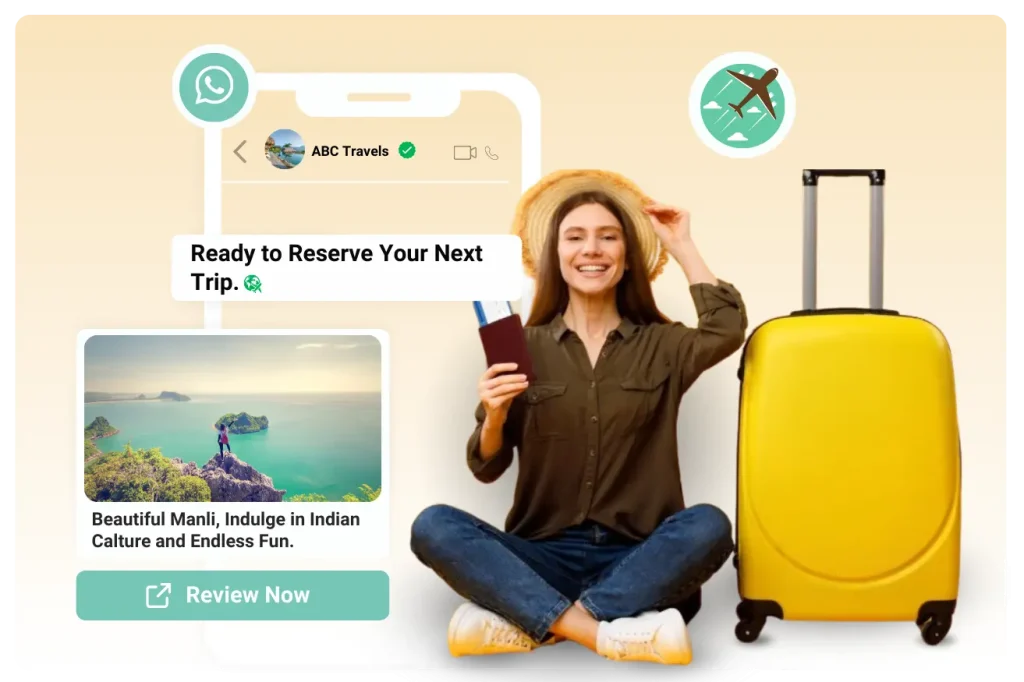
What it is: Themed groups or a Community hub for updates.
Why it matters: Nurtures repeat business and word-of-mouth.
How to use it:
- Create a “Local Deals” or “Sunrise Fans” group—share weather windows, new routes, and locals-only pricing.
Pro tip: Keep groups high-signal. Set posting rules, and spotlight guest photos (with permission) to build social proof.
Multimedia Messaging (Sell With Visuals)
What it is: Photos, short videos, voice notes, maps, and pins.
Why it matters: Visual proof outperforms long paragraphs—especially on mobile.
How to use it:
- Send a 15–30s vertical clip of the exact viewpoint or activity they’ll experience.
- Include a Google Maps pin for the meeting point in your first reply.
Pro tip: Record a friendly voice note confirming details—human voice builds trust faster than text.
For solo tour operators, time and resources are limited. WhatsApp simplifies communication, strengthens client relationships, and makes booking management effortless. If you’re not yet using it, you’re missing an opportunity to turn conversations into confirmed reservations. Start small, experiment with the free tools, and watch how this simple app transforms your travel business.
Turn WhatsApp Into Your Booking Desk
If you run tours solo (or with a tiny team), WhatsApp can be your fastest path from inquiry to paid booking. Plug PHPTRAVELS into WhatsApp Business to capture leads instantly, auto-reply with prices & availability, send payment links, and confirm bookings while you’re on the move.
What you’ll get
- Click-to-Chat buttons & QR codes on your site and socials
- Quick Replies & Away Messages for instant, pro responses
- Tour Catalog in WhatsApp (photos, prices, inclusions)
- Auto messages for quotes, reminders & confirmations
- Payment links + instant e-vouchers via PHPTRAVELS
Next steps
▶ Try Live Demo ✉ Talk to SalesMade for solo operators • No code required • 24/7 support
Frequently Asked Questions
Tap a question to reveal the answer.
Q1 Do I need the WhatsApp Business API or is the regular WhatsApp Business app enough? ⌄ If you just handle a few bookings a day, the WhatsApp Business app is fine (catalog, quick replies, labels). If you want automation at scale—auto booking confirmations, payment reminders, 24-hour check-in messages, or to connect a CRM/webhook—you’ll want the WhatsApp Business API via a provider. Q2 What’s the difference between “session messages” and “template messages”? ⌄ Session messages: Free-form replies you send within 24 hours of the user’s last message. Good for natural chat. Template messages (HSMs): Pre-approved, structured messages you can send outside the 24-hour window (e.g., booking confirmation, deposit reminder, tour-day reminder). Templates require approval and may have per-message costs. Q3 How do I connect WhatsApp to my booking software and website? ⌄ Use click-to-chat deep links (https://wa.me/?text=) or QR codes on your site and Google Business Profile. For automation, connect your booking system to WABA using webhooks and a lightweight iPaaS (e.g., Zapier/Make) or direct API. Typical flow: form submit → webhook → create lead in CRM → send template message (confirmation). Q4 Can I track conversions from WhatsApp (which campaign, which page)? ⌄ Yes. Append UTM parameters to your payment/deposit links or “Book Now” URLs you send in chat (e.g., ?utm_source=whatsapp&utm_campaign=sunrise_tour). In your booking software/GA4, map the source/medium and tag the lead with a label (e.g., “WA-Broadcast” vs “WA-Organic”). For API setups, push event data back via server-side tracking. Q5 How do broadcasts work, and how do I stay compliant with opt-in rules? ⌄ Broadcast lists send one message to many contacts, each as a 1:1 thread. Recipients must have your number saved (app) or must have explicit opt-in (API) for marketing. Maintain a consent field in your CRM; add “Reply STOP to opt out” to promotional messages. For the API, store opt-in timestamps and consent channel to stay compliant. Q6 Can I use an AI chatbot to answer FAQs and pre-qualify leads? ⌄ Yes. Pair WABA with an NLP engine (Dialogflow/Rasa) to detect intent (availability, price, what’s included) and entities (date, pax, tour name). Design fallbacks (“I’ll hand you to a human”) and route complex queries to you. Log bot conversations via webhooks, monitor handoff rate, and keep SLA alerts if replies exceed your target response time.